
It is a quiet puzzle game for your terminal. Fold a small sheet of paper, brush ink through its layers, then open it to match a pattern.
Play at your own pace. There is no timer, and you can undo a move or start over whenever you need to. The game works entirely offline and keeps your progress on your computer, with no account to create.
Install Orifude · Visit the website · Release notes
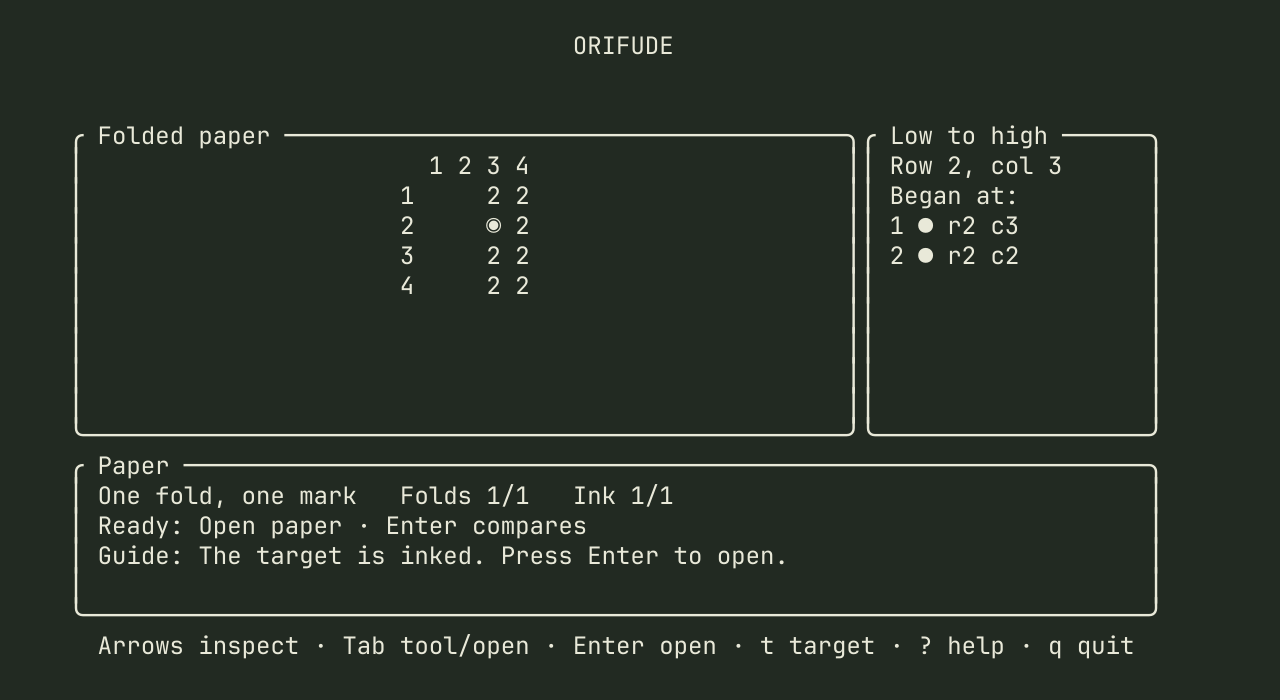
Orifude is available for Linux, macOS, and Windows. Follow the installation guide for your computer, then run:
orifudeYour first visit begins with a short, playable lesson. It walks you through a fold, a brush stroke, and opening the paper. A terminal at least 80 columns wide and 24 rows tall gives everything room; the minimum is 60 by 20.
On Linux with Nix and flakes enabled, run nix run github:nuggocto/orifude/v1.1.1.
The Nix guide also covers installation and
NixOS configurations.
Each puzzle gives you a blank sheet, a target pattern, and a few tools.
- Choose a crease and fold the paper. Cells that were far apart can now sit on top of one another.
- Place ink on the folded sheet. A brush stroke reaches every layer beneath it, so one mark can become several when the paper opens.
- Open the paper and compare it with the target. Every inked and blank cell must match exactly.
You can preview the unfolded ink before committing to an answer. If a mark lands in the wrong place, undo it and try another fold. The reference fold and stroke counts give you something to aim for, but matching the pattern is what solves the puzzle.
A tool is ready when you open a puzzle. Press Enter to use it, or Tab to
choose another. These are the default controls:
| Key | Action |
|---|---|
Arrow keys or h j k l |
Choose a fold or move the brush |
Enter |
Use the ready tool or open the paper |
Tab / Shift + Tab |
Cycle through folds, brushes, and Open paper |
f / b |
Choose the fold or brush tool |
Space |
Preview the unfolded ink |
u |
Undo the last move |
r |
Restart the paper after confirmation |
Esc |
Cancel the current tool or go back |
? |
Read the tool guide |
q |
Leave the game |
The tool guide explains the marks on the paper and the controls for the current screen. You can change key bindings, colors, glyphs, and motion in Settings.
The journey has forty handcrafted puzzles, starting with simple marks and
building toward more layered folds. Solved papers become keepsakes: revisit one
and press v to replay your solution, one move at a time.
After completing a Journey paper, press Tab to open the next one directly.
The shortcut appears once your result is saved, whenever another paper remains.
You can still press Enter to return to the home branch, r to retry, v to
replay, or x to view the text keepsake.
There is also a daily paper based on your computer's date and an endless garden of generated puzzles. Both work offline. Completed papers and keepsakes are saved between visits; an unfinished attempt starts fresh when you leave it.
Community packs add more papers to solve. Download a reviewed ZIP and its checksum file, then check the download and install it locally:
orifude pack install FILENAME.zipOpen the game and choose Puzzle packs. Orifude never downloads packs for you. To update a pack, remove its installed version before installing the new ZIP; your saved progress and keepsakes remain.
To make your own, start with the example pack. Puzzles are plain-text files you can edit and play on your computer. The authoring guide explains the format, how to check and solve your puzzles, and how to submit them through a pull request. Automated checks validate each submission, and a maintainer reviews the puzzles, writing, and license before publishing a ZIP and checksum on the website.
The project is open source under the Apache 2.0 license.
The contributor guide covers building, testing, and the code layout. Possible future additions are collected in IDEAS.md.