
Stuck on a problem? Clueless gives you clues, not answers.
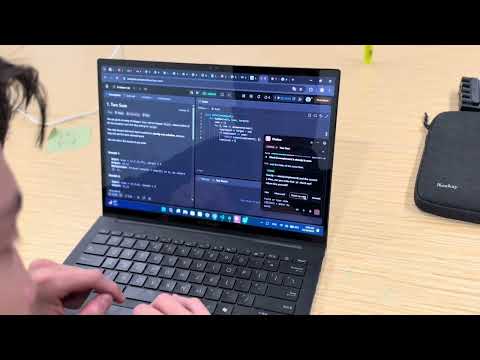
A small study helper that floats on top of whatever you're working on: your editor, a PDF, a browser tab. Press a key and it reads the problem on your screen, then coaches you through it with questions and hints that get a little more specific each time. It never just hands you the answer.
Works with code, math, physics and most other problem sets, on macOS and Windows.
| Keys | What it does |
|---|---|
Cmd/Ctrl + Shift + Space |
Read the screen and start helping |
Cmd/Ctrl + Shift + 2 |
Select just the problem |
Cmd/Ctrl + Shift + 1 |
Talk to Clueless |
Cmd/Ctrl + Shift + 3 |
Show or hide the island |
Esc |
Hide the panel |
- Asks what's tripping you up, with 3 options to pick from.
- Hint, What next?, Check my work and Example (a similar problem with different numbers). Each hint is a little more specific than the last.
- One box for answers and questions. It sees your screen with every message.
- Checks your math. Math and physics answers are checked by a math engine, so a right answer is never marked wrong by a slip.
- Animates ideas. The play button by the mic animates the idea at your step, with a voice.
- Talks. Answer out loud and hear the replies, like a real conversation.
- Ends with a short recap of what you learned and where you got stuck.
Opens from Finder, the Dock or the menu bar:
- Chat: the same problem as the panel, shown in full.
- History: every problem, with its whole conversation.
- Flashcards: save any reply with its card button, then review by topic.
- Profile: your plan and this month's use.
- Settings, and first-run setup: sign in, then permissions.
Shrink the panel to a compact bar. From there you can type a question, talk with the mic, turn spoken replies on or off, and open settings (transparency, new session, quit).
Highlight anything on your screen and pick a button that appears next to the cursor:
- Ask explains it in the panel.
- Animate explains it with an animation and narration in the visual island, a small window
beside your text:
- Code runs step by step, with its variables drawn as boxes.
- A math problem or a paragraph gets a picture of the idea.
- The line being explained lights up on your screen, in your browser or editor.
- Go back, stop, or change the speed as it plays.
You need: Node.js (LTS), and one of these:
- Sign in to Clueless. The app sends Claude requests through the Clueless server, which holds the keys and keeps each student within their monthly plan. Set it up with supabase/README.md. No Claude key on your computer.
- Your own Claude access, through Amazon Bedrock or a Claude API key, as below.
cd app
npm install
cp .env.example .env     # then add your keys (see below)
npm run try -- "Integrate x^2 e^x dx"   # checks it can reach Claude
npm run dev # start the appPick one way to reach Claude:
| Option | Set |
|---|---|
| Amazon Bedrock | AWS_REGION and AWS_BEARER_TOKEN_BEDROCK (or AWS_PROFILE). Turn on access to Claude Sonnet 5.5 and Haiku 5.5 in the Bedrock console. If your account doesn't have them yet, set CLUELESS_MODEL=anthropic.claude-sonnet-5 and CLUELESS_FAST_MODEL=anthropic.claude-haiku-4-5. |
| Claude API | ANTHROPIC_API_KEY |
Optional extras:
| Setting | What it adds |
|---|---|
DEEPGRAM_API_KEY |
Talking to Clueless (speech to text) |
ELEVENLABS_API_KEY |
A natural reading voice. Without it, Clueless uses your computer's built-in voice. |
ELEVENLABS_VOICE |
Which ElevenLabs voice to use, by name (e.g. Talia) |
CLUELESS_MODEL |
A different tutor model, e.g. anthropic.claude-opus-5-5 for the strongest tutor |
ElevenLabs free plan: voices from the Voice Library need a paid plan. On the free plan, Clueless automatically falls back to one of ElevenLabs' built-in voices.
.env is never committed. Every setting is explained in app/.env.example.
Clueless lives in the menu bar. The first time, allow these in System Settings → Privacy & Security, then restart it:
- Screen Recording, to read your problem
- Microphone, to talk
- Accessibility, so the island can notice highlights
- To read a highlight, the island presses
Cmd/Ctrl + Cfor you and then restores your clipboard. In a terminal that would stop the running program, so hide the island there. - On Windows PowerShell, use
npm.cmdifnpmscripts are blocked. - Clueless is visible on screen share by design. It's a study tool, not a way to hide help.
Run these from app/:
| Command | What it does |
|---|---|
npm run dev |
Run the app with live reload |
npm run try -- "problem" |
Talk to the tutor in the terminal |
npm run trace -- code.py |
An Ask with Animate on, in the terminal |
npm run eval |
The model test set (a few dollars of Claude calls) |
npm test |
Unit tests |
npm run typecheck |
Type checks |
npm run dist:mac / npm run dist:win |
Build an installer |
Electron · React · TypeScript · Tailwind · Claude (Sonnet 5.5, Haiku 5.5) via Amazon Bedrock or the Claude API · Deepgram · ElevenLabs · math.js · KaTeX
- DESIGN.md: how it works and who built what
- BUILD_PLAN.md: what's done and what's next
Made by Ali, Nurislam, Rasim and Nurassyl at the Lehigh hackathon.