
Speedwalk path highlighter for Mudlet
This package allows you to highlight your speedwalk paths in a different colour so that you can more easily see where you are going.
In Mudlet, type highlight to see the help information for this package.
-
highlight set- See your current preference settings -
highlight set <preference>- See the current value of a preference -
highlight set <preference> <value>- Set a preference to a valueAvailable preferences:
fade- Enable or disable the fade effect (onoroff, default: off)rollout- Enable or disable the rollout effect (onoroff, default: on)step- Set the granularity of the fade (default: 10)delay- Set the speed of the fade (default: 0.025)colour- Set the colour of the highlight (autoor a named colour, default: auto)alpha- Set the opacity of the highlight (0-255, default: 255)
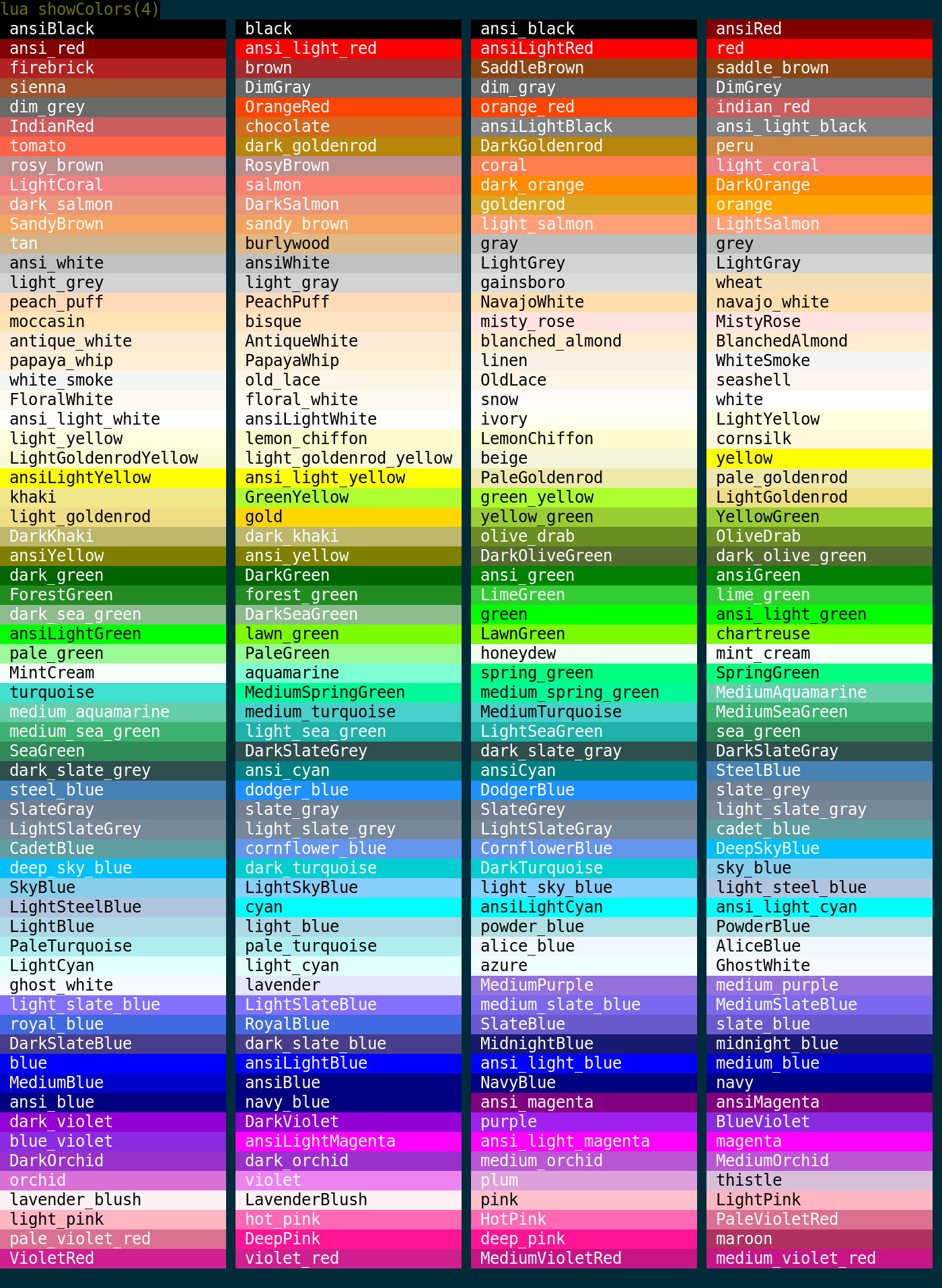
Note that the colour must be a valid Mudlet colour name.
This package listens to the following events in order to function. You will need to ensure that these events are passed along with the required arguments (if any).
Trigger this event when the player has moved to a new room. Highlighter uses this information to know when to begin fading the previous room. Triggering it again for the room the player is already in does nothing.
current room id- The id of the room the player has arrived in.
Trigger this event to indicate that the speedwalk has started. Highlighter will use this notification and information provided to highlight the route.
none- No arguments are required.
Trigger this event when the speedwalk has finished. Highlighter will use this notification to know when to fade all of the remaining highlights.
none- No arguments are required.
Trigger this event when the speedwalk has been stopped. Highlighter will use this notification to immediately remove all highlights.
none- No arguments are required. Mappers may sendexceptionandreason, but neither changes what Highlighter does.
Trigger this event when the speedwalk has been reset. Highlighter will use this notification to immediately remove all highlights.
none- No arguments are required. Mappers may sendexceptionandreason, but neither changes what Highlighter does.
The following packages are required and will be automatically installed if they are missing:
npm run build- Build the package with muddynpm run watch- Rebuild the package when files changenpm test- Run the specs insrc/resources/test/inside a headless Mudlet. This needs Docker, and uses the mudlet-busted imagenpm run test:tree- Run the specs with nested describe/it outputnpm run docker:update- Pull the latest mudlet-busted imagenpm run glu- Install the latest Glu and copy it over the bundled one
Pull requests to main run the specs through the Quality workflow. Merging one
publishes a release once Quality has passed.
highlighter is released under the 0BSD.