
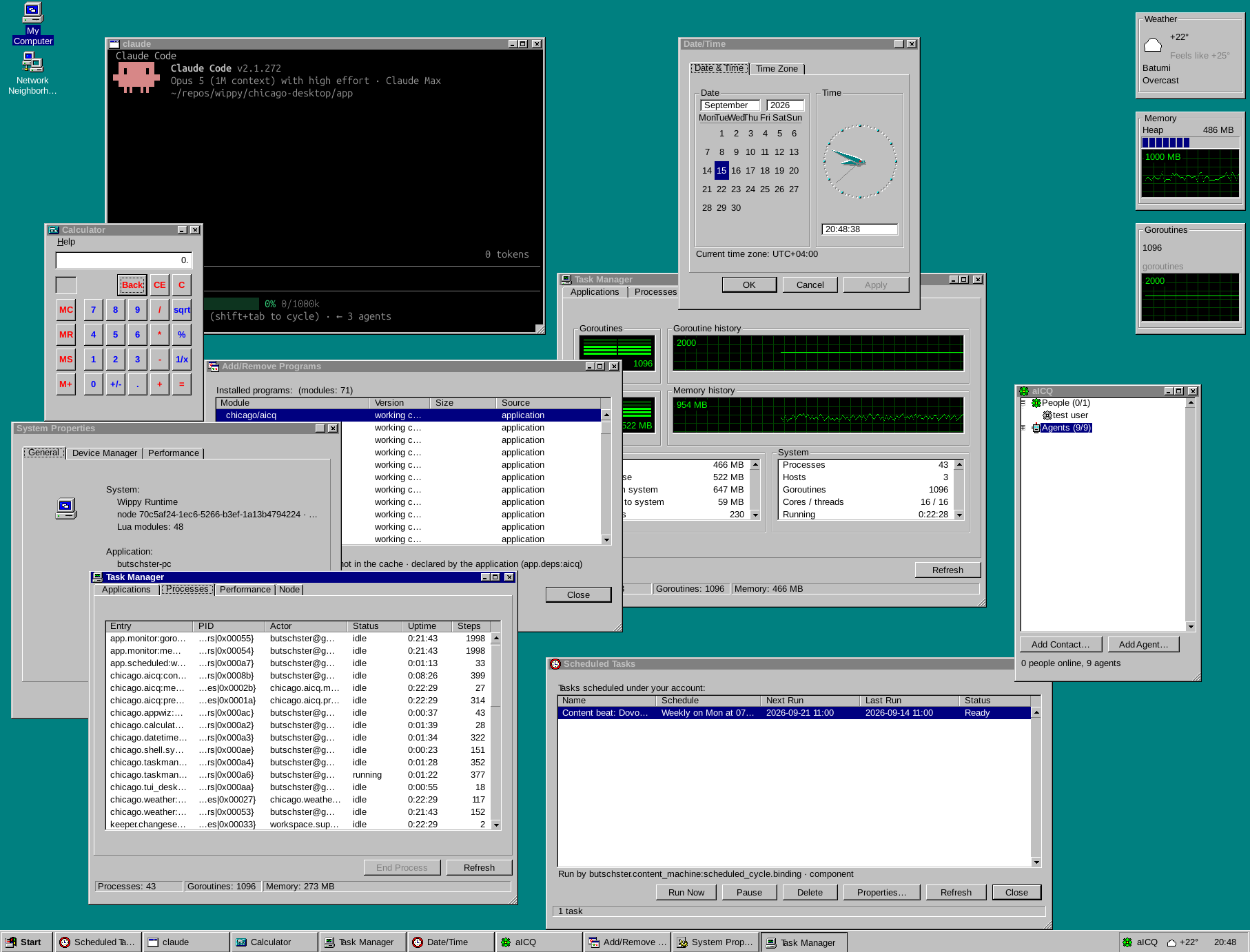
A Windows 95-inspired desktop in your terminal, accessible over SSH.
Connect to a server and get a desktop with a Start menu, taskbar, overlapping windows, apps and games. Run bash, htop or Claude Code inside a window, open Minesweeper alongside them, or build your own applications.
Chicago runs on the server. Your terminal is the desktop client.
Start with the application repository and its installation guide.
You can run Chicago locally or deploy it on a remote server. The application starts its own SSH server; once it is running, connect from your terminal:
ssh -t -p 2222 <server>Each connection opens a separate desktop session. Sign in through the desktop’s logon dialog, or add your public key to your account to log in automatically.
The setup instructions are written so a coding agent can follow them and get the application running for you. Point your agent at the repository, then connect over SSH when setup is complete.
For the graphical interface, use a terminal supporting Kitty graphics or Sixel, such as WezTerm. A text-cell mode is also available for terminals without graphics support. Some Windows SSH configurations currently have rendering issues.
Chicago is assembled from modules. Desktop applications live in separate GitHub repositories and are loaded through versioned dependencies.
Keep the modules you want, remove the ones you do not need, and add your own. You can use the same foundation to build a custom desktop application that lives on your server and is accessible from a terminal.
The organization contains the desktop’s building blocks:
| Repository | Purpose |
|---|---|
| app | The runnable application, SSH access, logon and module composition |
| runtime | The Wippy fork with terminal graphics, SSH hosting and GitHub module resolution |
| tui-desktop | Window management, compositing, input and PTY windows |
| shell | The Windows 95-inspired interface and application SDK |
| module-template | A starting point for your own module |
Applications such as Minesweeper, Weather and aICQ are modules themselves.
To build a window, use the shell’s declarative components and register the application so it appears in the desktop. See the SDK guide for the application model, components and lifecycle.
Chicago uses Wippy, an open-source runtime built around an Erlang-style actor model.
Its lightweight Lua processes communicate through messages and have around 15 KB of overhead per runtime process, before application state and resources. Process lifecycle management, supervision, declarative definitions, modules and namespaces provide the foundation for the desktop.
The compositor owns the screen, while window processes work through their own viewports. PTY windows host real terminal programs without requiring those programs to know about Chicago.
We forked Wippy to add the graphics and SSH support this experiment needed.
Wippy’s declarative registry describes processes, services, configuration and other entries. Definitions can be loaded from YAML, and the live registry can be patched in memory while the application is running.
Chicago exposes registry operations through MCP tools, allowing coding agents to work with the running application.
The virtual 3½-inch floppy drive puts a familiar interface on this capability: insert a disk, install and run its applications, then eject it to close them and remove their registrations. Those applications can be added and removed without restarting the desktop.
Chicago started with nostalgia for Windows 95 and a question: could a working desktop be built inside a terminal and served over SSH?
Chicago is still experimental. It recreates the feel of a classic desktop within the capabilities of a terminal; it does not run Windows software.
The Chicago application and desktop modules use the MIT license. The Wippy runtime fork uses MPL-2.0. See each repository’s license for details.
Fonts and artwork have their own licensing information. The interim icon set is being replaced with original artwork.