


Turn a folder of Markdown files into a documentation website. One command, zero configuration.
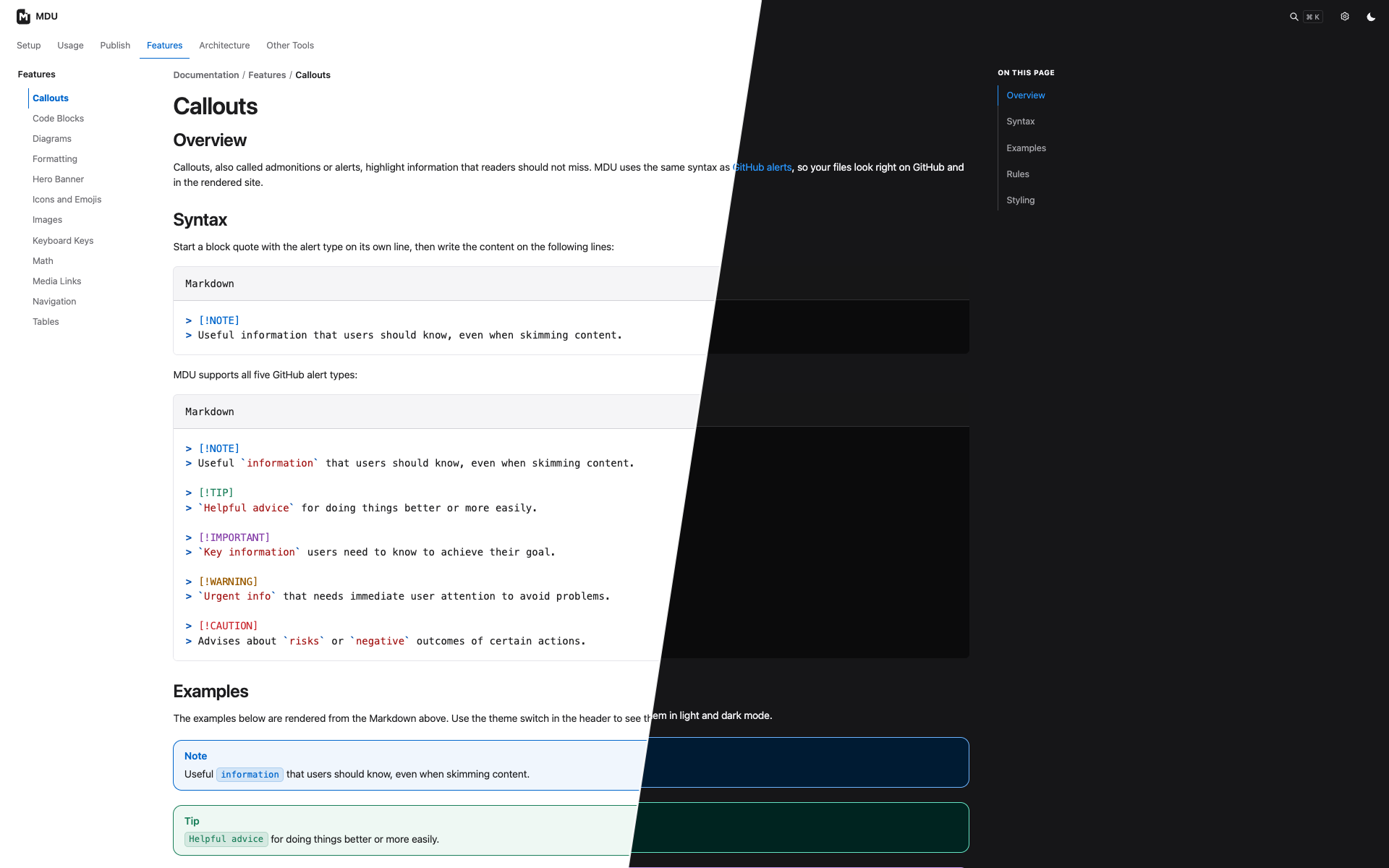
MDU (mdu) turns a docs folder into a static HTML site with top navigation, a collapsible sidebar, breadcrumbs, client-side search, light and dark themes, and syntax highlighting. Search results jump to matching sections and highlight the found text. Add an animated hero banner or optional site configuration when you want to customize the site. Your files stay plain Markdown that still reads well on GitHub, and there is no Node.js or Python build toolchain to install.
👉 See a live example: the MDU documentation, rendered by mdu itself.
1. Install the mdu .NET tool package (requires the .NET 10 SDK):
dotnet tool install --global mduPrefer a standalone executable? Download one for Windows x64, Linux x64, macOS Intel, or Apple silicon from the GitHub Releases. These downloads do not require the .NET SDK or runtime. Linux x64 requires glibc 2.35 or newer; Alpine Linux and other musl-based distributions are not supported.
Prefer Docker? Use the multi-architecture Docker Hub image for Linux amd64 and arm64.
2. Write your docs in a docs folder. Each folder can use a README.md as its section page:
docs/
├── README.md            → start page
├── Setup/
│   └── README.md        → "Setup" section
└── Usage/
    ├── README.md        → "Usage" section
    └── Configuration.md → page inside "Usage"
3. Preview it with live reload:
mdu serveYour site opens at http://localhost:4173 and refreshes when you save a Markdown file or linked local asset.
4. Publish it:
mdu renderUpload the generated site folder to GitHub Pages, GitLab Pages, Netlify, or any plain web server. It's just static HTML.
- 🧭 Navigation from your folders. Top tabs, the sidebar, and breadcrumbs follow your folder structure. Use
navigation.*front matter to order, label, or hide entries. - 🌗 Light and dark theme that follows the visitor's system setting.
- 🔎 Fast client-side search with section links and highlighted matches.
- 📱 Responsive layout that works on phones, tablets, and desktops.
- 🎨 Rich Markdown rendering. Code highlighting, supported diagrams, math, icons, emoji, callouts, and an optional animated hero banner.
- 🖼️ Assets included. Linked images and files are copied to the site automatically.
- ✅ Built-in linter.
mdu lintcatches missing titles, broken local links and assets, and path casing issues before you publish. - 📄 PDF export. Create one PDF from a documentation folder or a single Markdown file.
- One .NET workflow for your docs.
mdu tree,mdu lint,mdu fix,mdu serve,mdu render, andmdu pdfrun from the .NET 10 tool; there is no separate Node.js or Python build toolchain. - Your folder structure becomes navigation. MDU builds tabs, the sidebar, and breadcrumbs from the folder tree. Use
navigation.orderwhen you want a custom order. - Catch problems before publishing. The linter checks page titles, directory names, link casing, and missing local links or assets, then points to the source file and line.
- Keep your content and hosting portable. Your source stays Markdown and the generated site is static HTML you can host anywhere. The optional
navigation.*front matter andmdu.ymlsite configuration are MDU-specific.
| Command | What it does |
|---|---|
mdu serve |
Renders, serves, and live-reloads the site. |
mdu render |
Writes the static site to ./site. |
mdu pdf |
Writes a documentation folder or one Markdown file to a PDF. |
mdu lint |
Checks documentation and local links. |
mdu fix |
Migrates supported MkDocs Markdown and applies automatic fixes. |
mdu tree |
Prints detected Markdown files as a tree. |
By default, commands use ./docs as the source folder. Rendering writes to ./site; PDF export writes to ./documentation.pdf for a folder or a file named after a single Markdown input; and the preview server uses port 4173. If the source folder does not exist, pass its path explicitly:
mdu serve ./manual ./public --port 8080 --no-browserLint problems point straight to the file and line:
/project/docs/Usage/README.md:7: MDU004 LocalLinkExists: Local link target './intro.md' does not exist.
Linter detected 1 error.
To pin the tool to a repository instead of installing it globally:
dotnet new tool-manifest
dotnet tool install --local mdu
Skip the first command if .config/dotnet-tools.json already exists. Run the local tool with dotnet mdu, for example dotnet mdu serve.