
nit is a terminal editor with vim keys and a built-in station for AI coding agents. It watches every file an agent writes, encodes the file as a seed for Conway's Game of Life, and counts how many generations the pattern survives. Code that survives is kept. Code that collapses is sent back to the agent for another try.
This is an experiment. Nobody knows yet whether the Game of Life is a good measure of code quality, for agents or for people.

Watch the full-resolution demo · nit.tools
macOS, Linux, WSL:
curl -fsSL https://download.nit.tools/install.sh | bashWindows (PowerShell):
irm https://download.nit.tools/install.ps1 | iexIf PowerShell blocks the script (common on managed machines), run it with a bypass that only applies to the current PowerShell process:
Set-ExecutionPolicy -ExecutionPolicy Bypass -Scope Process -Force; irm https://download.nit.tools/install.ps1 | iexHomebrew (macOS, Linux):
brew install asheux/tap/nitFrom source:
git clone https://github.com/asheux/nit.git && cd nit
cargo build --release
The binaries land in target/release/ as nit and nit-mcp-server.
Upgrade (any platform):
nit updatenit update works out how nit was installed and runs the matching upgrade: brew upgrade
for Homebrew, the install script otherwise. On Windows it prints the PowerShell command to
run from a fresh session, because a running .exe cannot replace itself. nit also checks
for a newer release at launch and offers [i]nstall / [s]kip / [m]ute. Set
NIT_NO_VERSION_CHECK=1 to silence the check.
Binaries are served from https://download.nit.tools/<tag>/. Each release ships a
SHA256SUMS file.
| OS | Architecture | Distribution |
|---|---|---|
| macOS | arm64 + x86_64 (universal) | install.sh, Homebrew, direct tarball |
| Linux | x86_64 (glibc) | install.sh, Homebrew, direct tarball |
| Windows | x86_64 (MSVC) | install.ps1, direct zip |
The macOS binary is universal: Apple Silicon and Intel Macs run native code from the same file.
nit drives its agents through external CLIs. Put codex, claude, and git on your
PATH.
macOS says the developer cannot be verified. The binary is not notarized yet. Clear the quarantine flag once:
xattr -d com.apple.quarantine ~/.nit/bin/nit ~/.nit/bin/nit-mcp-serverThis only happens when the binary came through a browser download. The curl | bash
flow usually avoids it.
nit is not found after install. The installer does not edit your shell config. It
prints a PATH line to add. Add it and open a new shell, or run
~/.nit/bin/nit --version directly.
nit path/to/file   # open a file
nit path/to/dir    # set the workspace root (opens an untitled buffer)
nit                # current directory, untitled buffer
nit gol [path]     # Game of Life lab (the default lab)
nit games [path]   # Games lab: tournaments between programs
nit multipane      # a grid of independent agent chat panes
Press F1 or ? for the help overlay, and : in Normal mode for the command prompt.
The full key map is in docs/KEYBINDINGS.md.
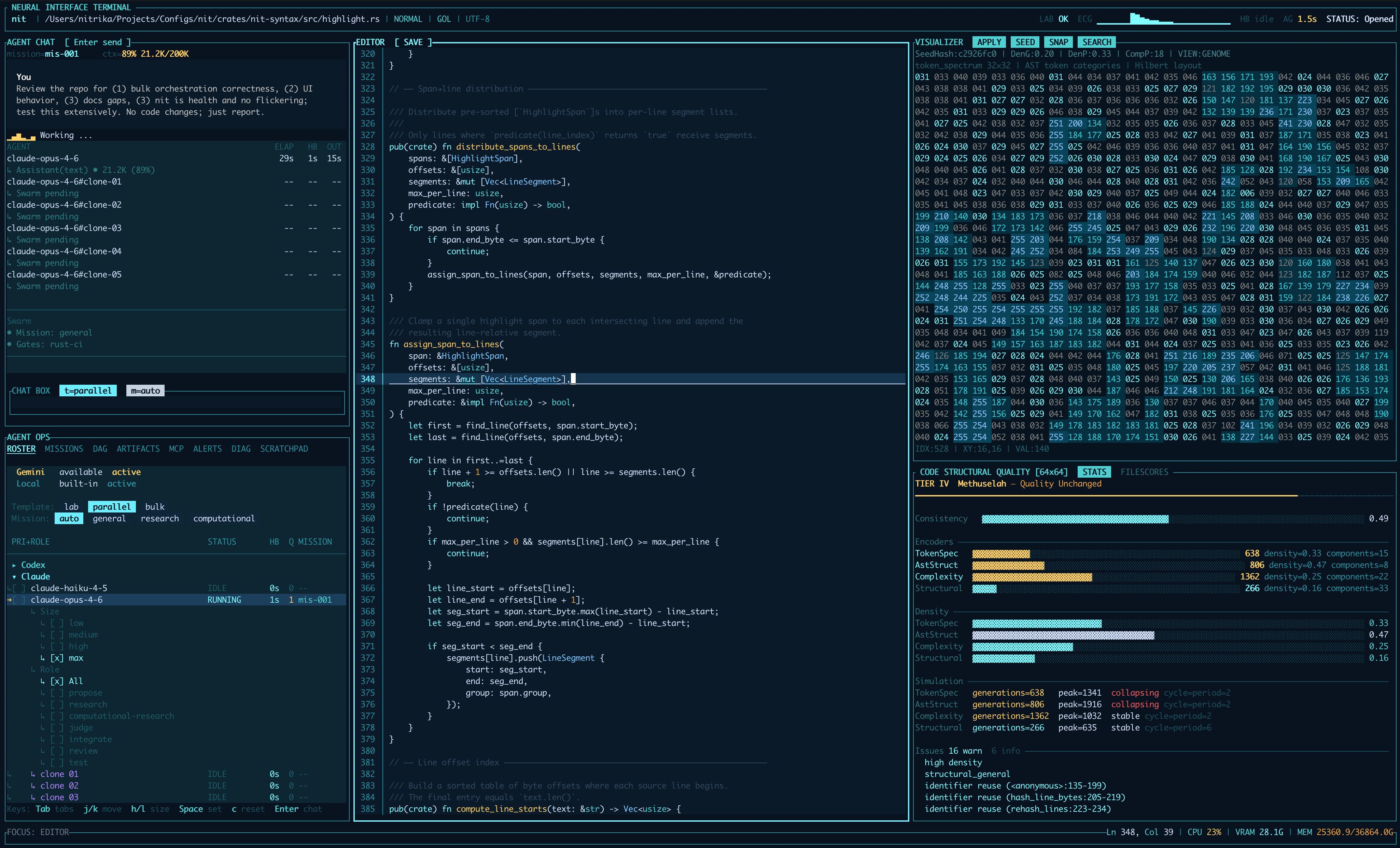
The agent station is two panes: Agent Ops (roster, missions, DAG, artifacts, MCP, alerts, diagnostics, scratchpad) and Agent Chat. It supports these backends:
- Codex, through a persistent
codex mcp-server(default) or onecodex execper turn. - Claude, through one
claude -psubprocess per turn, with an optional warm worker pool (NIT_CLAUDE_POOL=1). - Local, a mock lane for trying the UI without any agent.
- Gemini models show in the roster when the CLI is installed, but there is no runner yet.
Pick backends at launch:
nit                       # every lane nit can find (default)
nit --agents codex        # Codex only (models from ~/.codex/models_cache.json)
nit --agents claude       # Claude only (models from `claude models --json`)
nit --agents local        # mock lane only (alias: mock)
nit --agents all          # same as the default
Codex options:
--codex-runtime <mcp|exec>(defaultmcp).--codex-sandbox <read-only|workspace-write|danger-full-access>(default: your Codex config).--codex-approval-policy <untrusted|on-failure|on-request|never>(defaultnever).--codex-max-parallel-turns <N>(alias--codex-parallel, default8, range1..=16). This cap is shared with the Claude runner.
| Command | What it does |
|---|---|
@all <prompt> |
Send the same prompt to several agents. |
@swarm [all|N] [template=lab|parallel|bulk] [mission=general|research|computational-research] <prompt> |
Plan a mission, run it as a task DAG across N agents, verify, and synthesize. lab is the default template. See docs/SWARM.md. |
@shadow <prompt> |
One agent, backed by two hidden proposers, a judge, and a reviewer. Turns on by itself for prompts over 500 characters or containing words like refactor. See docs/SHADOWS.md. |
@multiway [mood=…] [k=N] <prompt> |
Best-first search over git worktrees. Off unless NIT_MULTIWAY=1. See docs/MULTIWAY.md. |
@new <prompt> |
Start a fresh-context clone when the agent is busy. |
@queue <prompt>, @q <prompt> |
Queue the prompt. Prompts sent to a busy agent queue on their own, so this is optional. |
/abort, @abort |
Cancel the active swarm mission. /abort all cancels every mission. /abort <agent-id> cancels one agent. |
Before each Claude dispatch, a hidden intake agent classifies the prompt and attaches a
file checklist to write requests. Turn it off with intake_enabled = false in
config.toml or NIT_INTAKE_DISABLED=1. See docs/INTAKE.md.
Examples:
nit --agents codex --codex-runtime exec         # Codex, one process per turn
NIT_CLAUDE_POOL=1 nit --agents claude           # Claude with the warm pool
nit multipane --backend claude-haiku-4-5 --panes 4
cargo run -p nit -- --agents codex              # from source
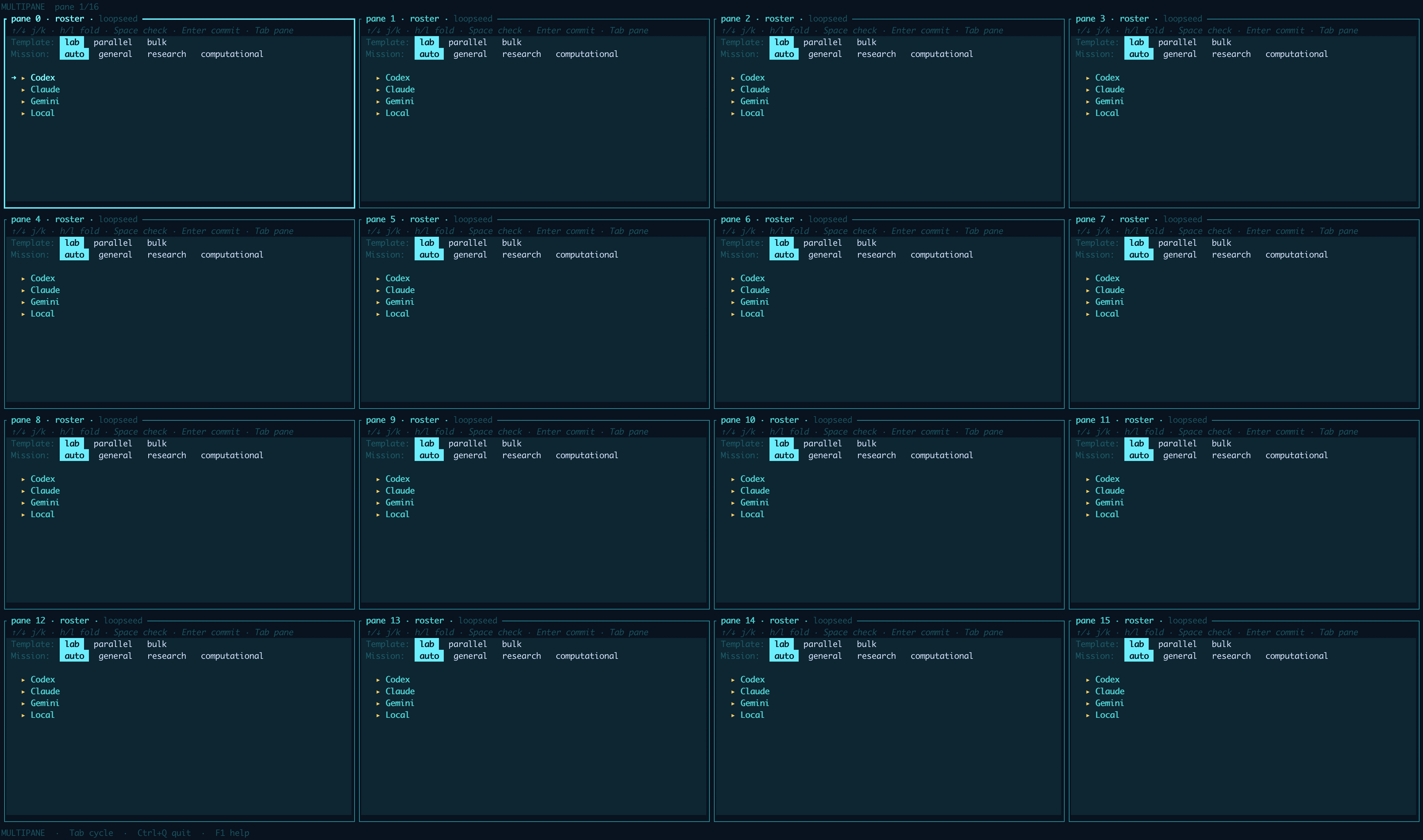
nit multipane opens a grid of independent chat panes, each with its own working
directory. It is like tmux for agents.
nit multipane [--backend <model>] [--panes N] [--cwd PATH] [--terminal-command CMD ...]--panes N: 1 to 32 panes, default 8.--backend: omit it to pick an agent per pane, name a family (claude,codex,gemini,local) to filter the picker, or name a lane id to pre-pick every pane.--terminal-command: start a pane with a shell command instead of a chat. Pass one per pane, in order.
Pane sessions persist to <state_dir>/multipane/session-<workspace-hash>.json. Keys are
in docs/KEYBINDINGS.md under "Multipane mode"; the full spec is docs/MULTIPANE.md.
Ctrl+Enterruns the Petri Dish;Ctrl+^shows a hidden one.- In the Petri Dish:
Spacepause,Enterstep,+/-speed,Hhide,Ssnapshot,F2rule picker,Pprotocol picker,Grule search,Aapply the best rule. - Visualizer seed controls:
Ctrl+Eencoder,Ctrl+Ssymmetry,Ctrl+Vview,Ctrl+Rseed view,Ctrl+Mplate render,Ctrl+Yseed source,Ctrl+Gsearch,Ctrl+Aapply,Ctrl+Nsnapshot. - Seven encoders turn the open file into a seed. See
docs/SEEDS.md. - 28 built-in rules live in
crates/nit-gol/assets/rules.toml. Add your own in~/.config/nit/rules.tomlor type aB/Sstring. Seedocs/RULES.md. - Snapshots go to
gol-snapshots/in the workspace.
nit games [path]opensgames.tomlby default.Ctrl+Enteror:games runstarts a tournament.Hhides it,Ctrl+^shows it.- Runs are written under
runs/games/in the workspace. - On macOS, set
engine.accelerator = "auto" | "cpu" | "metal"ingames.tomlfor GPU acceleration. - Headless:
nit games {run | sweep | enumerate fsm | inspect | graph}.
Strategy types (FSM, cellular automata, one-sided Turing machines), config format, and
analysis are in docs/GAMES.md.
Press : in Normal mode. Commands go to the active lab; start with --lab gol|games to
switch.
:qquit (asks first if the buffer is dirty):help,:commandsopen the help overlay:runrun the active lab:gol run|hide|show|stop|rule|rules|encoder|seed(aliases:petri,:life):games run|hide|show|stop|status|runs|replay|inspect|tm|ca|analyze|strategy
| Doc | Covers |
|---|---|
docs/ARCHITECTURE.md |
Crates, state model, agent bus, runtimes. |
docs/KEYBINDINGS.md |
Every key and : command. |
docs/SWARM.md |
Swarm templates, roles, DAG, gates, budgets, abort. |
docs/SHADOWS.md |
Shadow agents. |
docs/INTAKE.md |
The intake classifier. |
docs/MULTIPANE.md |
Multipane mode. |
docs/MULTIWAY.md |
The multiway search engine (opt-in). |
docs/TERMINAL.md |
The embedded shell. |
docs/SUBSTRATE.md |
Signals, claims, assumptions, mood, metabolism. |
docs/SUBSTRATE_TESTING.md |
How to test the substrate. |
docs/LIVING_SYSTEM.md |
Worker, observer, arbiter, and resolver roles. |
docs/GAMES.md |
The games engine and headless CLI. |
docs/SEEDS.md |
Seed encoders, parsimony, and retries. |
docs/RULES.md |
The Game of Life rule catalog. |
docs/SMOKE_TEST.md |
Manual smoke checklist. |
docs/PERF.md |
Render budget and benchmarks. |
docs/ENVIRONMENT.md |
Every environment variable. |
docs/SECURITY.md |
Security policy and hardening backlog. |
docs/REPO_HEALTH.md |
Repo health checks and conventions. |
just fmt                      # format
just clippy                   # lint (warnings are errors)
just test                     # cargo test --all
just run -- path/to/file      # run from source
just ci                       # fmt-check + clippy + test + cargo deny
scripts/healthcheck.sh # quick repo-health check (--deep adds clippy + tests)- Rust 1.88.0, pinned in
rust-toolchain.toml. - ratatui and crossterm for the UI; ropey and the unicode crates for text.
- tree-sitter 0.25 for highlighting (30 grammars) and the AST seed encoders. The language
table lives in
crates/nit-core/src/languages.rs. Cargo.lockis committed and CI builds with--locked. Thetimecrate is vendored atvendor/time.
Bug reports, feature ideas, new tree-sitter grammars, Game of Life rules, docs, and code are all welcome.
- Fork the repo and branch off
main. - Keep changes focused, match the surrounding style, and add tests for new behaviour.
- Run
just fmtandjust ci. Clippy runs with-D warnings, so every gate must pass. - Open a pull request against
mainwith a clear description. CI must be green.
Good first contributions: a language grammar (crates/nit-syntax/), a rule preset
(docs/RULES.md), or a docs fix. For larger changes, open an issue first and read
docs/ARCHITECTURE.md.
| Crate | Purpose |
|---|---|
nit |
CLI entry point: args, agent discovery, lab dispatch, headless games, multipane launch. |
nit-core |
State, agent bus, config, text buffers, substrate, genome reports, seed encoders. No terminal code. |
nit-tui |
Event loop, widgets, agent runners, swarm, shadows, intake, multipane, terminal. |
nit-multiway |
Best-first search engine over git worktrees (opt-in). |
nit-mcp |
MCP server (nit-mcp-server) that gives Codex the substrate tools. |
nit-games |
Game theory tournament engine. |
nit-gol |
Game of Life engine. |
nit-metal |
Metal GPU acceleration on macOS, with no-op stubs elsewhere. |
nit-syntax |
Tree-sitter highlighting. |
nit-utils |
Shared filesystem, hashing, and path helpers. |
Other top-level directories: docs/ (guides), vendor/ (vendored crates), scripts/
(CI helpers), assets/ (themes).
- No plugins and no network calls from nit itself.
- No shell. nit only spawns
git,codex,claude, and the platform URL opener (open,xdg-open,cmd) directly. At startup it probescodex,claude, andgeminito list models. - Unsafe code is confined to
nit-metal(GPU interop). - Atomic file writes.
- The terminal is restored on exit and on panic.
See docs/SECURITY.md.
- Horizontal scrolling counts character columns, so tabs before the viewport can shift alignment.
- Highlighting covers 30 languages and falls back to plain text for others and for very large files.
- Dockerfile is detected but renders as plain text until the upstream grammar supports tree-sitter 0.25.
- Gemini models appear in the roster but cannot run turns.
MIT © 2026 nit contributors