


Open system terminal, and enter current directory.
Source Code , Plugin Installation , MIT License.
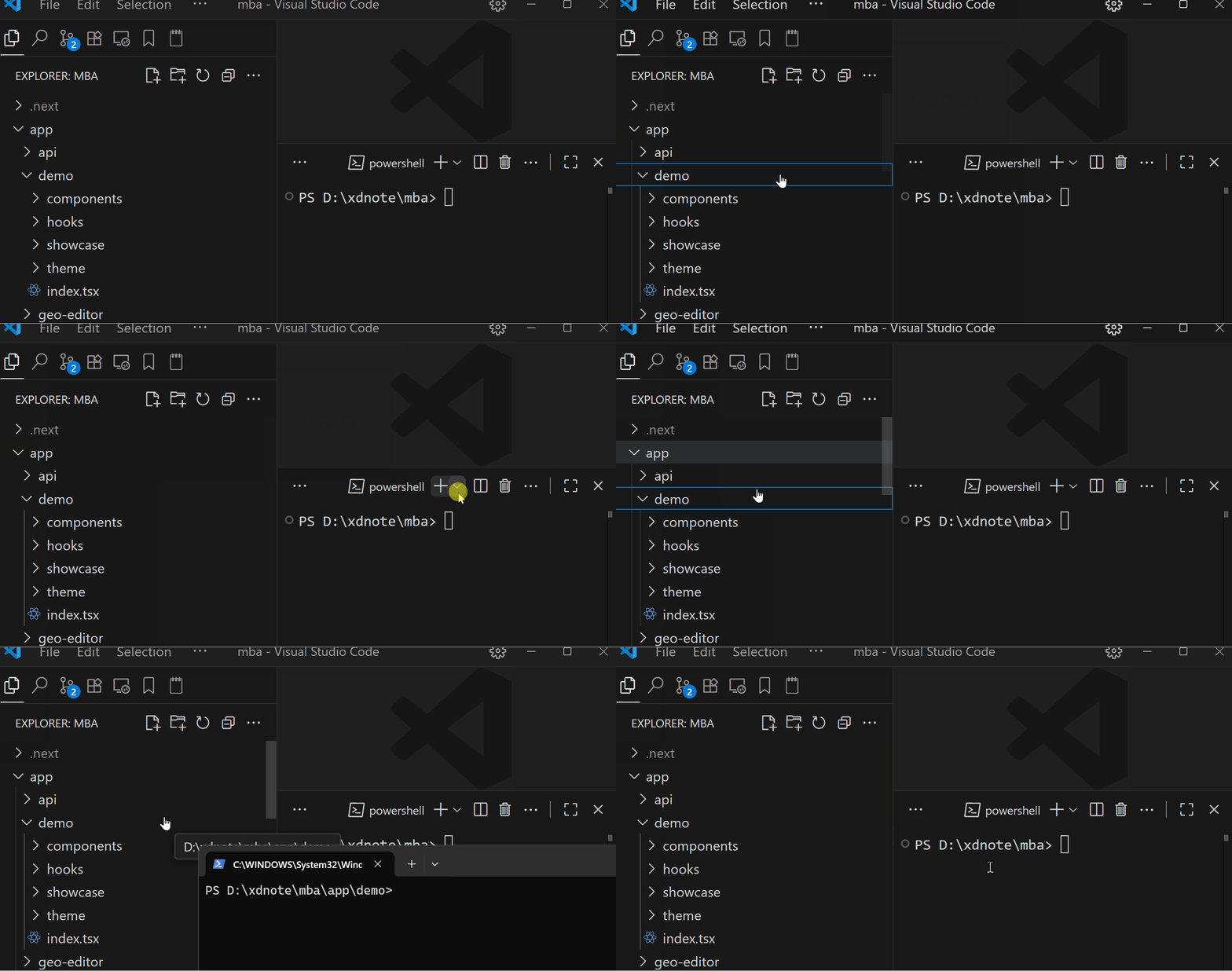
- ⌨️ Keyboard Shortcut: Use
Ctrl+Shift+R(Windows/Linux) orCmd+Shift+R(Mac) enter current directory by system shell. - 📁 Context Menu: Right-click on explorer, and click
Open in System Shellto open file location by system shell.
- ⌨️ 快捷键: 使用
Ctrl+Shift+R(Windows/Linux) 或Cmd+Shift+R(Mac) 使用系统Shell进入前文件夹 - 📁 文件夹-右键菜单: 右键一个文件, 选择
Open in System Shell使用系统Shell进入文件位置.