
Bring WhatsApp into your n8n workflows with Z-API. Import this example, configure your instance, and use it as a starting point for your own automations.
- Access to an n8n instance.
- A Z-API account with an instance connected to WhatsApp.
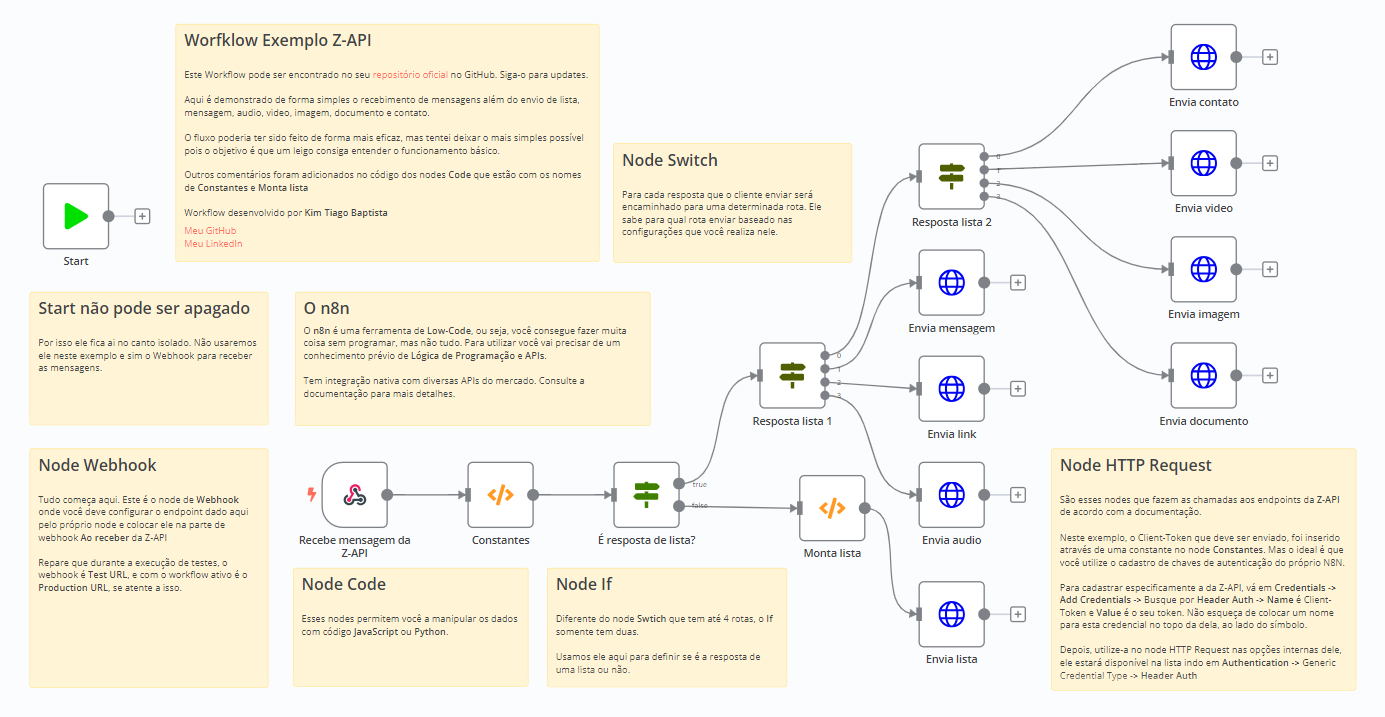
Download exemplo_zapi_n8n.json from this repository.
- Open n8n and create a new workflow.
- Open the three-dot menu in the upper-right corner.
- Select Import from File… and choose the downloaded JSON file.
Open the Constantes node and replace the example values with your Z-API instance details.
The node names in this example are in Portuguese. Constantes means Constants.
Open the first node, copy its webhook URL, and configure it in your Z-API instance.
Make sure the webhook URL is reachable by Z-API.
Test the workflow in n8n and review the execution results. Once the connection is working, adapt the workflow to your use case.
Example contributed by Kim Tiago Baptista.