
A syntax-highlighting TextBox control for Avalonia with support for multiple programming languages. Built using only native Avalonia features without external dependencies.
More Screenshots
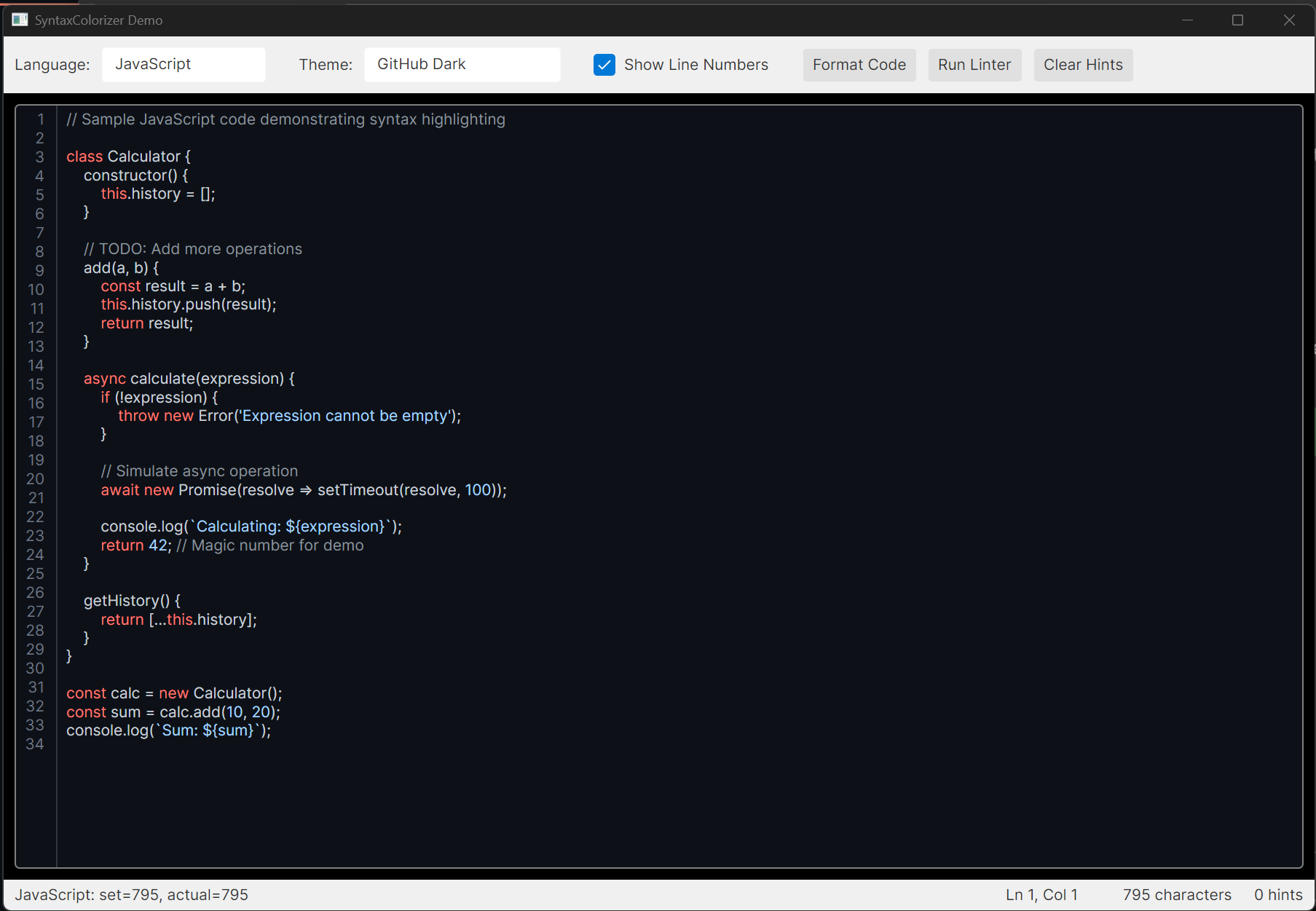
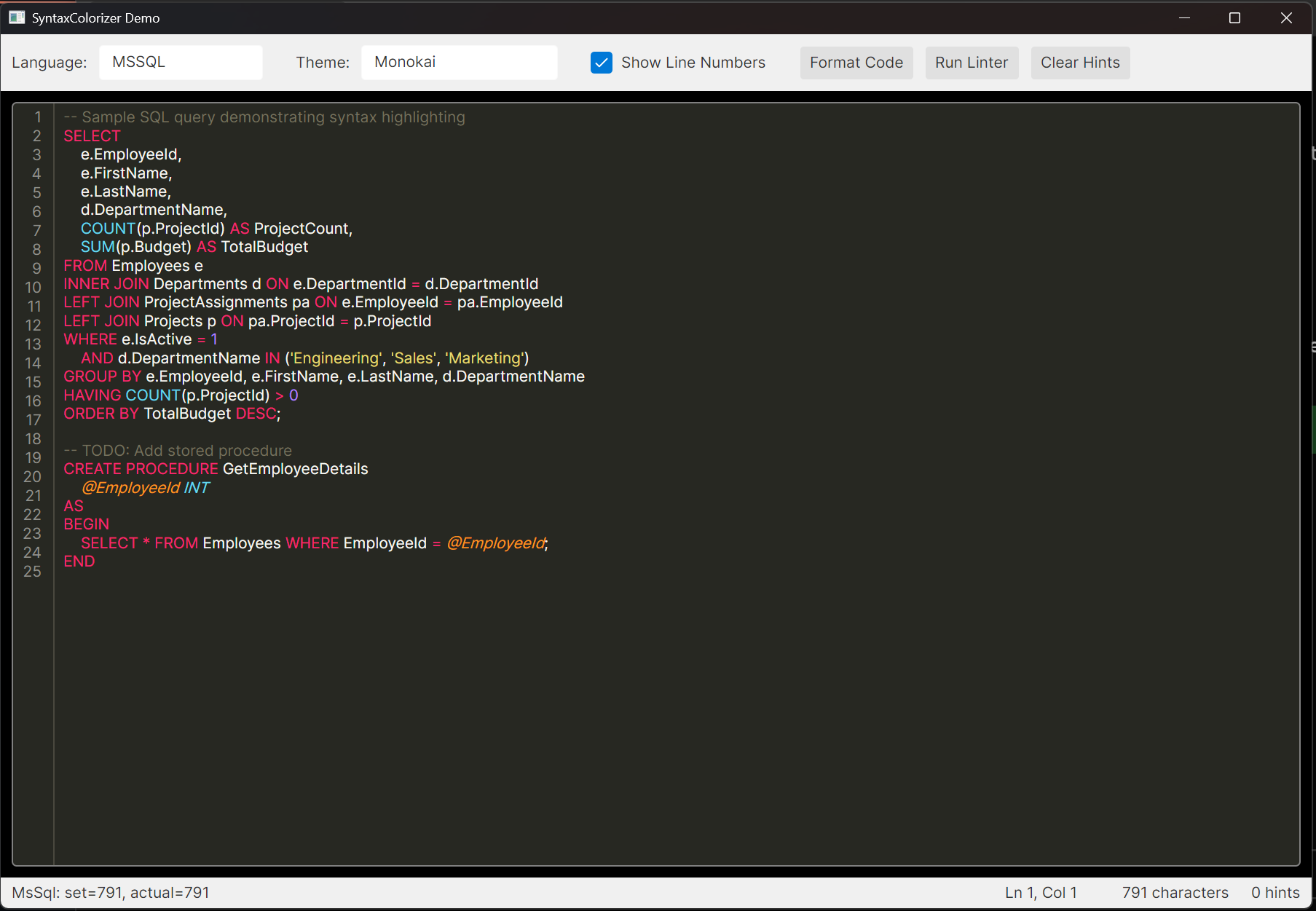
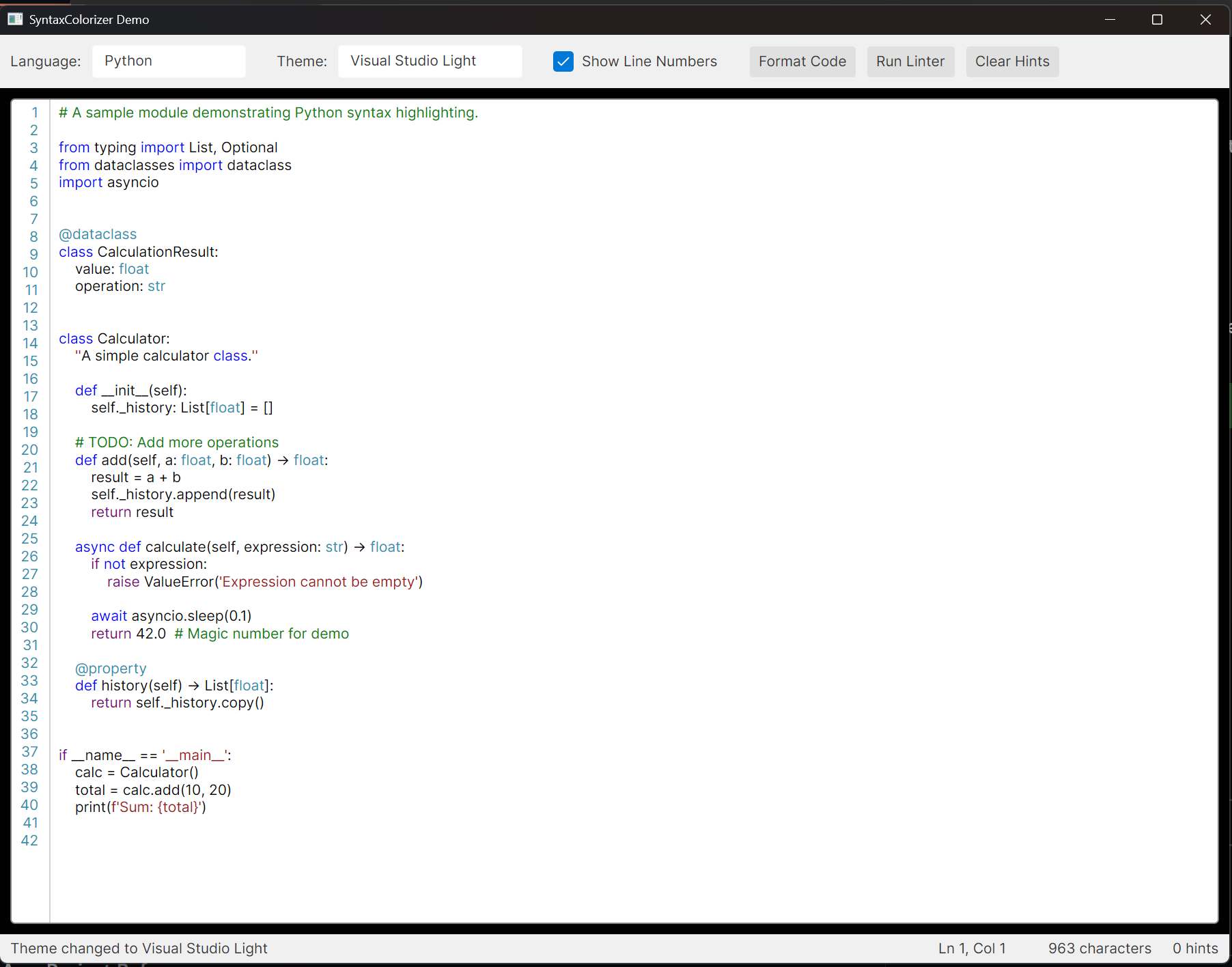
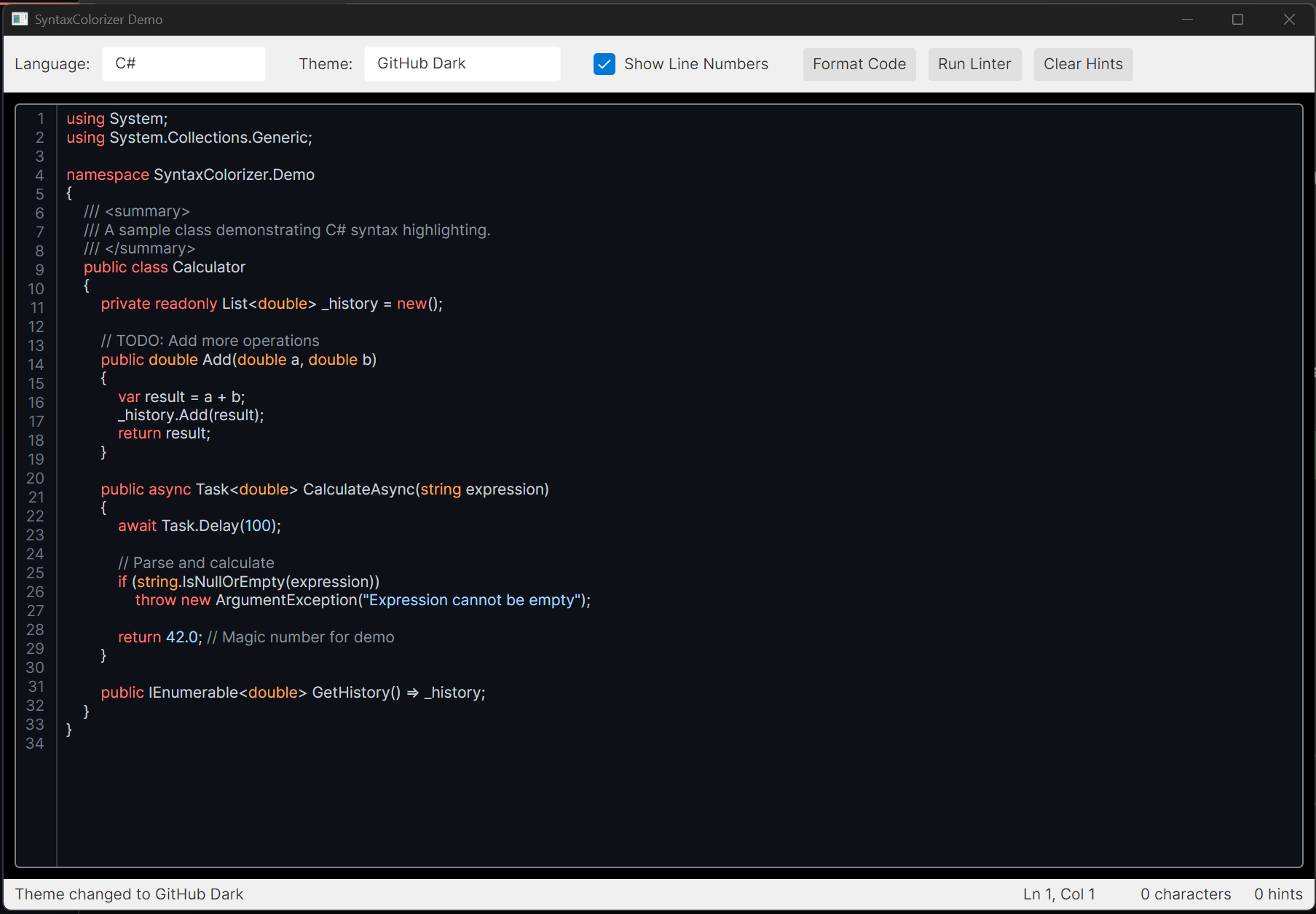
- Real-time syntax highlighting as you type
- Support for 38 programming languages
- 14 built-in color themes
- Line numbers display (toggleable)
- Linting infrastructure with customizable rules
- MVVM-friendly design
- NuGet package ready
Get the latest release: the demo app for your platform, then extract it and
run SyntaxColorizer.Demo. Each build is one self-contained file, so there is no .NET to install first.
| Platform | Archive |
|---|---|
| Windows | win-x64, win-x86 or win-arm64 (.zip) |
| macOS | osx-arm64 for Apple Silicon, osx-x64 for Intel (.tar.gz) |
| Linux | linux-x64 or linux-arm64 (.tar.gz) |
The release also carries the control's NuGet package (.nupkg), for the newest version before it
reaches NuGet.org; see Installation for using it in your own app. The macOS demo is
not signed, so clear the quarantine once before the first launch:
xattr -d com.apple.quarantine SyntaxColorizer.Demo (or allow it under System Settings → Privacy &
Security). On Linux, chmod +x SyntaxColorizer.Demo if your extractor dropped the executable bit.
| Category | Languages |
|---|---|
| C-Family | C, C++, C#, Java, Kotlin, Scala, Swift, Objective-C |
| Scripting | JavaScript, TypeScript, Python, Ruby, PHP, Lua, Groovy, Elixir |
| Functional | F#, R, Haskell |
| Mobile | Dart |
| Systems | Rust, Go |
| Microsoft | Visual Basic .NET, PowerShell, MS SQL (T-SQL) |
| Database | Oracle SQL (PL/SQL) |
| Web | HTML, CSS, SCSS/Sass/Less, JSON, XML, YAML, Markdown, GraphQL |
| Config | TOML |
| DevOps | Bash, Dockerfile |
| Diagrams | Mermaid |
Install via the .NET CLI:
dotnet add package SyntaxColorizerOr via the Package Manager Console in Visual Studio:
Install-Package SyntaxColorizerOr add directly to your .csproj:
<ItemGroup>
  <PackageReference Include="SyntaxColorizer" Version="1.0.0" />
</ItemGroup>- Clone the repository
- Build the solution:
dotnet build
- Add a project reference to your Avalonia application:
<ItemGroup>
  <ProjectReference Include="path/to/SyntaxColorizer/SyntaxColorizer.csproj" />
</ItemGroup>
In your App.axaml, include the SyntaxColorizer styles:
<Application.Styles>
    <FluentTheme />
    <StyleInclude Source="avares://SyntaxColorizer/Controls/SyntaxHighlightingTextBox.axaml" />
</Application.Styles>In your XAML file, add the namespace:
xmlns:controls="clr-namespace:SyntaxColorizer.Controls;assembly=SyntaxColorizer"<controls:SyntaxHighlightingTextBox
Language="CSharp"
SyntaxTheme="{x:Static themes:BuiltInThemes.VisualStudioDark}"
ShowLineNumbers="True"
FontSize="14" />using SyntaxColorizer;
using SyntaxColorizer.Controls;
using SyntaxColorizer.Themes;
// Set the language
editor.Language = SyntaxLanguage.CSharp;
// Set the theme
editor.SyntaxTheme = BuiltInThemes.VisualStudioDark;
// Get/set text
editor.Text = "public class Hello { }";
// Show/hide line numbers
editor.ShowLineNumbers = true;| Property | Type | Description |
|---|---|---|
Text |
string |
The editable text content |
Language |
SyntaxLanguage |
The programming language for highlighting |
SyntaxTheme |
SyntaxTheme |
The color theme to use |
ShowLineNumbers |
bool |
Whether to show line numbers |
IsReadOnly |
bool |
Whether the text is read-only |
AcceptsReturn |
bool |
Whether Enter key inserts new lines |
AcceptsTab |
bool |
Whether Tab key inserts tabs |
UpdateDelay |
int |
Delay (ms) before updating highlighting |
| Theme | Style |
|---|---|
| Visual Studio Light | Light |
| Visual Studio Dark | Dark |
| Monokai | Dark |
| GitHub Light | Light |
| GitHub Dark | Dark |
| Solarized Light | Light |
| Solarized Dark | Dark |
| Dracula | Dark |
| One Dark | Dark |
| One Light | Light |
| Nord | Dark |
| Gruvbox Dark | Dark |
| Gruvbox Light | Light |
| Quiet Light | Light |
using SyntaxColorizer.Themes;

// Light themes
var vsLight = BuiltInThemes.VisualStudioLight;
var githubLight = BuiltInThemes.GitHubLight;
var solarizedLight = BuiltInThemes.SolarizedLight;
var oneLight = BuiltInThemes.OneLight;
var gruvboxLight = BuiltInThemes.GruvboxLight;
var quietLight = BuiltInThemes.QuietLight;

// Dark themes
var vsDark = BuiltInThemes.VisualStudioDark;
var monokai = BuiltInThemes.Monokai;
var githubDark = BuiltInThemes.GitHubDark;
var solarizedDark = BuiltInThemes.SolarizedDark;
var dracula = BuiltInThemes.Dracula;
var oneDark = BuiltInThemes.OneDark;
var nord = BuiltInThemes.Nord;
var gruvboxDark = BuiltInThemes.GruvboxDark;The control includes a linting infrastructure for displaying code hints:
using SyntaxColorizer.Linting;

// Get a linter for the current language
var linter = LinterFactory.GetLinter(editor.Language);

// Run analysis
var hints = linter.Analyze(editor.Text);

// Add hints to the editor
foreach (var hint in hints)
{
    editor.AddLintingHint(hint);
}

// Clear all hints
editor.ClearLintingHints();using System.Text.RegularExpressions;
using SyntaxColorizer.Linting;
var linter = new CommonLinter(SyntaxLanguage.CSharp);
linter.AddRule(new LintingRule
{
Pattern = new Regex(@"\bmagic\b", RegexOptions.IgnoreCase),
Message = "Avoid using magic values",
Severity = LintingSeverity.Warning,
Code = "CUSTOM001"
});- Create a new tokenizer class in
Tokenization/Languages/:
using System.Text.RegularExpressions;
using SyntaxColorizer.Tokenization;

public class MyLanguageTokenizer : LanguageTokenizerBase
{
    private static readonly IReadOnlyList<TokenPattern> _patterns;
    private static readonly IReadOnlyDictionary<string, TokenType> _keywords;

    static MyLanguageTokenizer()
    {
        _keywords = new Dictionary<string, TokenType>
        {
            ["if"] = TokenType.ControlKeyword,
            ["else"] = TokenType.ControlKeyword,
            // ... more keywords
        };

        _patterns = new List<TokenPattern>
        {
            new(CommonPatterns.SingleLineComment, TokenType.Comment, 9),
            new(CommonPatterns.DoubleQuotedString, TokenType.String, 6),
            new(CommonPatterns.Identifier, TokenType.Identifier, 2),
            // ... more patterns
        };
    }

    public override SyntaxLanguage Language => SyntaxLanguage.MyLanguage;
    protected override IReadOnlyList<TokenPattern> Patterns => _patterns;
    protected override IReadOnlyDictionary<string, TokenType>? Keywords => _keywords;
}-
Add the language to the
SyntaxLanguageenum inSyntaxLanguage.cs -
Register the tokenizer in
TokenizerFactory.cs:
SyntaxLanguage.MyLanguage => new MyLanguageTokenizer(),SyntaxColorizer/
├── src/
│ ├── SyntaxColorizer/ # Main library
│ │ ├── Controls/ # UI controls
│ │ ├── Linting/ # Linting infrastructure
│ │ ├── Themes/ # Color themes
│ │ └── Tokenization/ # Tokenizers
│ │ └── Languages/ # Language-specific tokenizers
│ └── SyntaxColorizer.Demo/ # Demo application
├── SyntaxColorizer.sln
└── README.md
cd src/SyntaxColorizer.Demo
dotnet run
The demo application demonstrates:
- Switching between languages
- Changing themes
- Line number toggle
- Running the linter
MIT License - see LICENSE file for details.
Contributions are welcome! Feel free to:
- Add support for new languages
- Create new color themes
- Improve tokenizer accuracy
- Add new linting rules
- Fix bugs and improve performance