

A DigiNode is a device that runs a DigiByte Full Node and DigiAsset Node helping to further decentralize the DigiByte ecosystem.
DigiNode Tools are a suite of Linux bash scripts that make it really easy to setup, monitor and manage a DigiNode on a Raspberry Pi 4 or Ubuntu/Debian system.
- DigiNode Setup - Helps you to install, upgrade, backup and restore your DigiByte and/or DigAsset Node.
- DigiNode Dashboard - Provides a live dashboard to quickly check the status of your DigiNode.
Learn more: https://diginode.tools
- A Raspberry Pi 4 8Gb is the recommended device for running a DigiNode. It offers the most user-friendly setup experience. See here for the parts you need.
- DigiNode Tools also runs on most Ubuntu or Debian based systems. ARM64 and x86_64 hardware are both supported. A 64-bit OS is required. For more info, see the System Requirements on the official website.
- DigiNode is designed to operate headless - i.e. no display, keyboard or mouse is required. Everything can be managed remotely from your main computer. (Note: These may be needed during setup on some Linux systems, but are not needed at all for the Raspberry Pi 4.)





 DigiNode Setup helps you to setup and manage your DigiNode:
- Intuitively walks you though the process of setting up a DigiByte Node and/or DigiAsset Node.
- Designed with less-technical users in mind - almost no linux command line experience required. Setup is entirely menu-driven.
- Checks your system hardware and OS are compatible, and that there is sufficient disk space, memory and swap.
- Install a mainnet or testnet DigiByte Node, or a Dual Node - run both simultaneously on the same system!
- Automatic configuration - sets up optimal digibyte.conf, systemd services, RPC credentials, zero conf networking, UPnP port forwarding, custom MOTD etc.
- Supports installing DigiByte Core pre-releases (Optional)
Manage you DigiNode via simple menus. Easily install software updates. Backup and restore. Uninstall and repair and more:

Includes DigiNode Dashboard, a powerful tools for monitoring the status of your DigiByte and DigiAssets nodes:

- Go here for detailed step-by-step instructions on how to setup a DigiNode on a Raspberry Pi 4.
- Go here for how to setup a DigiNode on an Ubuntu or Debian system.
If you need help, please join the DigiNode Tools Telegram group. You can also contact @diginode.tools on Bluesky.
I created DigiNode Tools to make it easy for everybody to run their own DigiByte Node. It's free, its code is public so anyone can see exactly what it does, and I build and maintain it in my spare time. The more people who sponsor me, the more time I can devote to it.
Sponsor DigiNode Tools on GitHub or support me on Ko-fi. You can give monthly or make a one-time donation, from as little as you like. The tiers are the same on both.
- Patron ($100 a month): your name on the sponsors page, linked to your GitHub profile or website if you like.
- Featured Sponsor ($300 a month, only 3 places): for businesses and projects. Your logo and link on the diginode.tools home page and sponsors page, and on the DigiNode Tools GitHub page, plus your name and link shown to everyone using DigiNode Setup and DigiNode Dashboard. Featured Sponsors are approved by me. If your sponsorship isn't approved, it will be refunded. After sponsoring, add your logo using this form (on Ko-fi, give your Ko-fi name in the form, or send me your logo, name and website in a Ko-fi message).
To see what your support helps with, and what I hope to work on next, visit diginode.tools/sponsors.
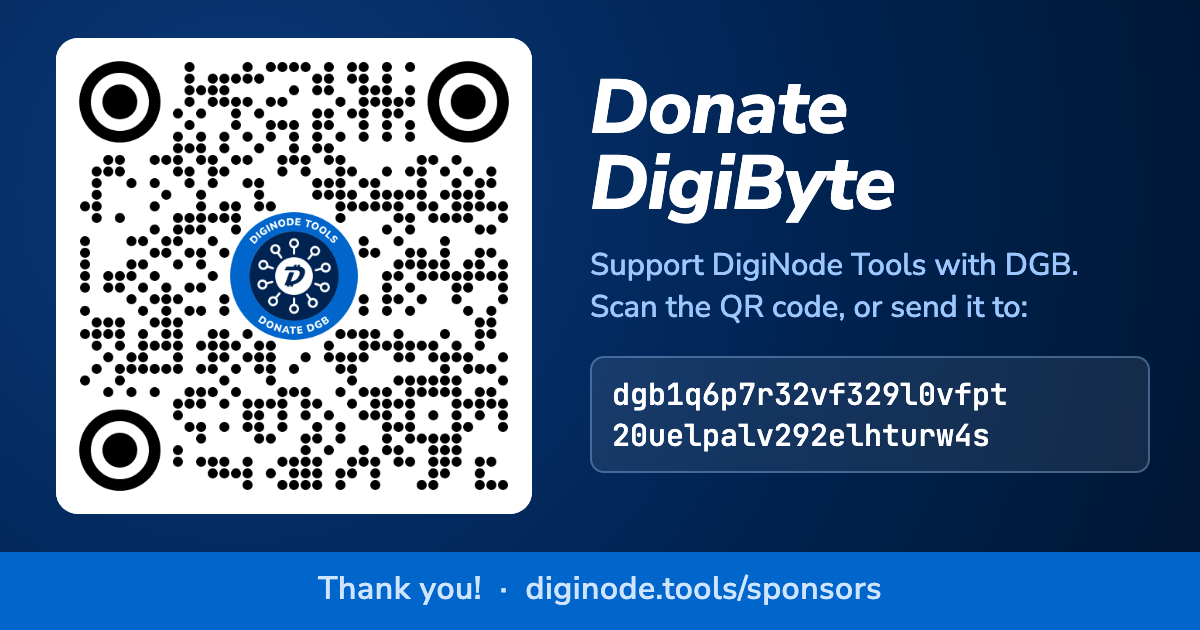
Prefer to donate DGB? Scan the QR code, or copy the address from diginode.tools/sponsors.
Thank you for your support! You can find me on Bluesky @olly.st.
Olly
Go here to view the release notes.
These tools are provided as is. Use at your own risk. Always keep a backup of your DigiByte wallet.
DigiNode Tools is free to use for any purpose, and its code is public so anyone can see exactly what it does. It's licensed under the PolyForm Perimeter 1.0.0 licence, which doesn't allow the code to be used to make a competing product, including a version for another blockchain. See the Licence FAQ for a plain-English summary.
The DigiNode Tools name and logo can be used to link to or write about DigiNode Tools - see TRADEMARKS.md.