




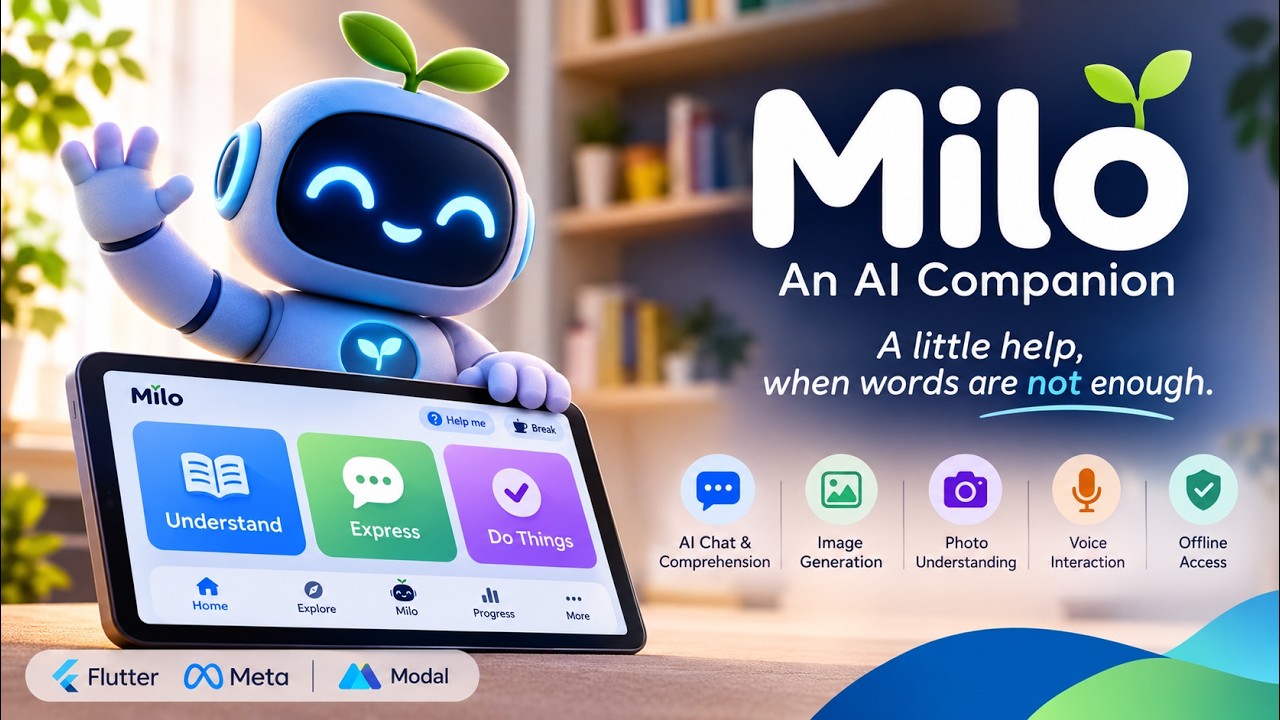
A little help, when words are not enough.
Milo is an adaptive AI companion for communication, comprehension, and everyday independence, for children and adults with dyslexia, speech-language needs, and other communication difficulties. It helps people understand (read and explain text, worksheets, photos), express (boards, compose, speech), and do (step-by-step plans), through a companion character that looks, listens, waits, and reacts instead of a stream of text bubbles.
General-purpose chatbots assume fluent reading, typing, and self-direction. Milo's users (a pre-reader child, a teenager with dyslexia, an adult filling in forms, a person who communicates with symbols) need the opposite: spoken interaction, patient pacing, visual structure, huge touch targets, and tools that keep working with no connection. Five tabs (Home, Explore, Milo, Progress, More), an always-available Break and Help me in every header, and an offline-first ladder where the board, read-aloud, routines, and memory never need the internet.


Home: the companion and the three front doors (Understand, Express, Do things).
The model decides what to say; deterministic app code decides what happens. Every model output is validated against closed contracts before anything reaches the screen, the speaker, storage, or the network, and every cloud call is written to an on-device ledger before it is sent.
Built for the Meta Global AI Developer Hackathon (October-November 2026 build window).
Honest note on timing: the architecture and build-plan PDF (Milo_Architecture_and_Build_Plan.pdf) was drafted before the hackathon build window. The app, gateway, deployment, and everything verified in this README were built and tested during the hackathon.
Install the APK (Android, no account, no API key, no model picking):
- Download
app-release.apkfrom the verified CI run (workflow run) or the direct artifact (milo-android-apk), or build it locally:flutter build apk --release --dart-define=API_BASE=https://arjun3314508--milo-gateway-staging-web.us-east.modal.run. - Install:
adb install -r app-release.apk(or open the file on the phone and allow installs). The APK contains no keys. The hosted Meta credential lives only on the gateway server. - Open Milo, finish the short onboarding, and try, in order:
- Chat: ask "Hello, tell me a joke". A real model answers through the hosted demo route or the open weight route.
- Draw: Explore, then Draw a picture, then ask Milo to draw something, then tap Tap to create this picture. A real generated image appears, labelled AI made.
- Outlines: Explore, then Understand, then take a photo, then Find things in this photo, then type
toy(or the object), then tap an outlined box, then tap Explain. - Voice: tap the microphone, say "Hello", tap stop. The transcript goes straight into chat and Milo replies, and speaks it if voice is on.
- No key needed: More, then Trusted adult (set a PIN), then AI connections shows Competition demo access: on plus per capability status. Your own key (BYOK) is optional there and never overwritten by the demo key.
- Hosted AI needs internet. With WiFi off, the board, saved stories, read aloud and routines keep working. That is intentional.
Verified on staging (live probes, not just code): image generation returns real WebP pictures from muse-image-1.0 (gateway/scripts/probe_image.py exit 0, picture read back and confirmed), SAM returns real boxes and masks on real photos, chat streams through the open weight route, and voice (speak to transcript to chat to spoken reply) is owner verified on device. The post voice black screen is fixed with a single exit voice screen plus a regression test. Plain text chat runs on the deployed open weight Muse Spark on Modal with the Meta suite as fallback. All multimodal work, photo understanding (vision), picture generation, voice transcription and SAM outlines, always uses the Meta models (muse-spark-1.3 vision, muse-image-1.0, muse-voice-transcribe-1.0, sam-3.1), funded by the hosted demo key or by a family's own BYOK key. Both kinds of traffic pass through the same gateway, but the routes are separate and capability checked. The text only open weight model is never handed a photo, an image request, audio, or a segmentation job (the router skips adapters that declare no such capability). Multimodal needs the server side Meta key. If an attempt says "not set up on Milo's server yet", the staging secret is missing MODEL_API_KEY (setup checklist in docs/SETUP.md section 1d). SAM additionally needs SAM_VERIFIED=true after a real probe_sam.py run.
Run it on your laptop or a Mac or iPhone instead (VS Code or any IDE):
- Windows or macOS, Android: same APK as above, or from source. Gateway in mock mode needs no key. Meta mode needs a key. Then
flutter runwithAPI_BASEfor emulator (http://10.0.2.2:8000on Android), USB phone (adb reverse tcp:8000 tcp:8000thenhttp://127.0.0.1:8000) or same WiFi phone (http://192.168.1.20:8000). Full steps are indocs/SETUP.md. - macOS, iOS simulator (Mac only):
open -a Simulatorthenflutter run -d "iPhone 15" --dart-define=API_BASE=http://127.0.0.1:8000. No signing needed. Note: simulator has no microphone, so voice must be tested on a real iPhone. - iPhone or iPad (real device, Mac only): open
ios/Runner.xcworkspacein Xcode, changePRODUCT_BUNDLE_IDENTIFIERfromcom.example.miloto your own unique id, select your Apple ID team (a free personal team works for 7 days, no paid account needed), thenflutter run -d "Your iPhone" --dart-define=API_BASE=https://arjun3314508--milo-gateway-staging-web.us-east.modal.runfor the hosted demo, or build an IPA to share.
If you have only Windows, use the Android APK above and skip the iOS build. It needs a Mac.
Context and memory (how Milo remembers): every chat request carries the last 6 turns (full replies, persisted on device across restarts), up to 5 approved memories (only what the person confirmed in plain words), the visible context chips, support profile, and activity panel state. Inspectable any time in Chat to What Milo knows and More to Trusted adult to Cloud and privacy. Nothing is remembered silently. Forget everything in chat erases long term memory, and conversation history never leaves the phone except as the recent field of the next request.
Three-minute walkthrough — onboarding in under 90 seconds, offline board message, photo read-aloud, story generation, and the trusted-adult area.
Watch on YouTube — youtu.be/96NygsvKZII · Download the APK (milo-android-apk) · Workflow run with screenshots
The five sheets below are the original pre-build design wireframes (drawn from the 23 October 2026 blueprint, Milo_Architecture_and_Build_Plan.pdf). They show the intended journeys; the as-built application map and the screenshots further down show what is implemented. Where the build differs from a sheet, the feature text says so.

Sheet 1: ten setup steps (welcome, language, who is using, reading comfort, talk style, goals, look and voice, privacy in plain words, permissions, all set) plus the living companion engine with twelve expressions and its life stack. Click for full resolution.

Sheet 2: presence modes (stage, buddy, chip, discreet, help sheet), the Understand reading assistant (bring, crop, read, style, reading view, quick check), and the Express board (board, keyboard, compose, voice, speaking view). Click for full resolution.

Sheet 3: learning journey with word builder and story time, guided tasks with confirm-before-action, chat with voice input and context chips, and progress counts with growth and wardrobe. Click for full resolution.

Sheet 4: mood check-in, breathing, and break timer; PIN gate, grown-up home, vocabulary editor, memory centre, and cloud ledger; accessibility, Milo, and profile settings; and the voice-led pre-reader mode. Click for full resolution.

Sheet 5: offline home and failure states; widget, share, keyboard, and screen-help surfaces (design-only, not built); and the fit-together map of on-phone stack, Meta Model API stack, offline ladder, guardrails, and build order. Click for full resolution.

The shipped navigation traced from code: tab shell, pushed screens, the PIN-gated grown-up area, and the rules that hold everywhere. Follow the moving dashes for the main journeys.
Everything below is the implemented application. Each feature names its screenshot (device capture), its offline behavior, and the model or local code behind it.


The implemented tab shell: Explore lists every section and badges what works offline.
Read and explain text, worksheets, and photos.
Bring text, a photo, a file, or a saved document; Milo reads it, pulls out key points, simplifies on request, and checks vocabulary, switching strategy (simpler, picture, example, short) when something does not land. Photos get on-device OCR for read-aloud plus tap-a-box object explanations.
Works offline (OCR and read-aloud on-device) and online: hosted Spark text and vision turns, plus SAM object outlines (boxes + mask metadata) from a photo - tap a box to hear that object explained (SETUP.md §1d).
Say things with pictures, words, or typing.
Tap picture tiles to build a message, then speak it aloud with large listener-facing text. Fixed tile positions, recents, an urgent Help row, Phrases/Symbols/Keyboard tabs, and "Say it better" for polishing wording stay predictable under stress.


Express: board, composed message with recents, keyboard with on-device prediction, and the large-text speaking view.
Offline: board, prediction, and platform TTS speech. Online: wording polish and word explanations via hosted Spark.
Get through routines one step at a time.
Suggested routines plus the person's own tasks and plans. Each plan opens into a guided step mode with Done/Skip/Help, celebration at the end, and hand-off back to Express when words are needed. Calls always ask first.

Do things: suggested routines and custom task entry.
Offline: routines, guidance, and celebration are local. Online: plans from /v1/plan on hosted Spark.
Playful practice plus generated stories.
Goals, a word builder that works fully offline from bundled data, and StoryTime: generated tales with Listen, Back/Next paging, Ask about the story, AI-drawn illustrations, and Save.
Works offline (word builder and saved stories) and online: stories on hosted Spark, with a Muse Image illustration on an explicit Create tap each time.
A conversation that shows its work.
Context-aware conversation by text, microphone, or camera, with read-last-answer, saved-message actions, and context chips showing exactly what was sent. Typed input always works; voice input transcribes speech.
Works offline (the pocket brain keeps simple turns going) and online: SSE brain turns on hosted Spark; transcription needs a Meta Voice key.
Counts that encourage, never scores.
Days-together streak, Learning/Speaking/Tasks tabs, counts (stories, words, steps), and a weekly chart. Counts only, never chat contents.

Progress: days together, counts, and the weekly chart.
Fully local (encrypted SQLite).
A break that is always one tap away.
Break timer with guided breathing, and an optional five-face mood check-in that is never scored and never leaves the phone without opt-in.
Fully local, works end to end.
Grown-up controls behind a PIN.
PIN-gated area: words-and-symbols editor (custom tiles with local AI art), reading support, cloud and privacy switches, AI connections with per-capability activation, gentle time limits, and a progress-only weekly summary.

Trusted adult: the PIN-gated grown-up area.
Provider keys are sealed server-side, travel per-request over TLS, and never appear in logs or bundles; family spend never touches the deployer budget.
| Screenshot | Screen | Implementation |
|---|---|---|
companion-home.jpeg, home-greeting.jpeg |
Home tab | lib/ui/home_screen.dart, lib/companion/ |
explore-top.jpeg, explore-all-sections.jpeg |
Explore tab | lib/ui/explore_screen.dart |
communication-board.jpeg, communication-composed.jpeg, communication-keyboard.jpeg, speaking-view.jpeg |
Express | lib/ui/express_screen.dart |
do-things.jpeg |
Do things | lib/ui/do_screen.dart |
progress.jpeg |
Progress | lib/ui/progress_screen.dart |
more-settings.jpeg |
More | lib/ui/more_screen.dart |
trusted-adult.jpeg |
Trusted adult | lib/ui/trusted_screen.dart |
Two serving paths, kept separate: the deployer's Modal-hosted Muse Spark Open endpoint answers Milo's own turns, while family-provided API keys (Meta, OpenAI, Anthropic, Gemini-compatible, custom) are sealed in the vault and spend the family's quota. One Meta key funds all five Meta models; each is verified separately and a key accepted for one is never assumed for the others. Statuses come from gateway/app/providers/meta_catalog.py, which tests keep honest.
| What Milo does | Model or component | Route | Status |
|---|---|---|---|
| Reasoning, chat, understand, plan, compose, stories | Muse Spark Open 816B | Modal Shared Endpoint (OpenAI-compatible) | Live on staging, ladder green |
| Suite reasoning fallback | muse-spark-1.3 | Meta Model API | Live on staging (hosted demo key; photo/vision turns route here, never to the text-only open-weight model) |
| Story and tile illustrations | muse-image-1.0 | Meta Model API | Verified live on staging: real WebP image bytes via the demo route (gateway/scripts/probe_image.py, exit 0; picture visually confirmed). Note: Muse Image returns WebP - gateway and app accept PNG/JPEG/WebP/GIF/AVIF |
| Voice input transcription | muse-voice-transcribe-1.0 | Meta Model API (realtime socket) | Working on device: speak → transcript → chat → spoken reply (Meta Voice Transcribe hears; the phone voice speaks) |
| Tap-a-box object regions | SAM 3.1 | Meta Model API | Verified live on staging: real boxes + mask metadata on a real photo via /v1/segment (SAM_VERIFIED on; mock suite labels its boxes mock) |
| Long-form plans and stories | muse-wonder-1.0 | Meta Model API | Working: long-form plans and stories run on Muse Wonder via the Meta Model API |
| Operator-side eval judge | muse-glimmer:30b | Self-hosted (Ollama), never a hosted API | Manual, operator hardware only |
| Speech output | Platform TTS via flutter_tts |
On-device | Local, no model involved |
Notes: speech-to-text (Muse Voice Transcribe) and text-to-speech (platform TTS) are separate systems; nothing auto-generates pictures (every image needs an explicit Create tap); Wonder serves long-form plans and stories only and stays out of ordinary chat, reading, pictures, voice, and outlines by server-side rule; Glimmer is open-weight and self-hosted, so it is never presented as on-device intelligence or reached through an ordinary API key.

Phone, gateway, and providers. Working on staging today. Follow the moving dashes.
The Flutter app owns the experience (screens, companion director, validators, encrypted storage, pocket-brain fallback) and ledgers every cloud call before sending it. The FastAPI gateway owns auth, contracts, safety screening, capability routing with pre-first-byte failover, and spend guards, and fans out to the Modal-hosted Spark endpoint, the Meta Model API suite, family BYOK providers, or deterministic mocks. The model proposes; both sides validate; the app disposes.
Full detail, including request sequences and the deployment layout, lives in ARCHITECTURE.md.
- Ledger-before-send for every cloud call; per-device consent log; no ads, no analytics, no content in crash reports.
- Crisis and check-in flows are local and hand-written; the model never sees crisis turns as normal input.
- Memories need explicit confirmation, with an on-device viewer and forget commands; sync is E2EE, off by default, and separate from cloud AI permission.
- Photos: originals (EXIF/GPS) are deleted right after prep; resized copies only.
- One offline switch ("Local only. Nothing leaves this phone.") plus per-section offline badges.

More: accessibility, language, the offline switch, data controls, and about.
Data map: docs/DATA_MAP.md. Trust model for family keys: docs/BYOK.md.
- App: Flutter (stable) with Riverpod, Dio (SSE/WebSocket), SQLCipher,
flutter_tts,record, ML Kit text recognition. - Gateway: FastAPI on Modal serverless (staging plus production apps), PostgreSQL-optional, JWT sessions.
- Models: Muse Spark Open 816B (Modal Shared Endpoint), Muse suite/Image/Voice-Transcribe/SAM via Meta Model API, Glimmer via operator Ollama.
- Contracts:
contracts/brain_contract.jsonandcontracts/ui_contract.json, mirrored into Dart and Python with drift-failing tests. - CI: GitHub Actions (gateway tests, analyze, full Flutter suite, staging APK, iOS simulator build).
| You have… | Need Milo right now? | Want to develop Milo? |
|---|---|---|
| Windows + Android phone | Install the APK (sideload, §A) - no Android Studio needed. | + Android Studio + emulator or USB phone (§B + §C). iOS builds need a Mac. |
| macOS + iPhone/iPad | TestFlight/enterprise link from us, or build on that Mac and sideload (§D - free for 7 days, no store account needed). | Full: Android and iOS from the same Mac. |
| Just a browser (judge/evaluator) | Watch the demo video; live staging health is GET https://arjun3314508--milo-gateway-staging-web.us-east.modal.run/v1/health. |
- |
No API key, no provider setup, and no model picker are required either way - fresh installs use the hosted demo access (staging secrets) for every eligible Meta capability. Plain-text chat continues on the Modal open-weight Muse Spark even if a multimodal key were missing; photos/vision, generated pictures, voice transcription and SAM outlines route through the Meta suite (muse-spark-1.3, muse-image-1.0, muse-voice-transcribe-1.0, sam-3.1) via the same gateway, and a family's own BYOK key - when they add one in Trusted adult → AI connections - travels the same routes but spends their own quota. Offline: Home/Express/Do things, reading, word builder and saved stories keep working with no connection at all.
The competition build is already baked and signed (CI artifact milo-android-apk):
- Download
app-release.apkfrom the verified CI run (workflow run) or the direct artifact (milo-android-apk). - Windows or macOS: drag onto an emulator or
adb install -r app-release.apkto a USB phone (enable Install unknown apps once). NoAPI_BASEto set. Staging is compiled in. - Open Milo, then Skip onboarding, then try the 5 minute script in Start here (chat, draw, outlines, voice). It works identically from Windows and macOS. The host OS only affects how the APK got onto the phone.
If an attempt ever says not set up on Milo's server yet or unavailable, the staging secret is temporarily missing MODEL_API_KEY (owner only, SETUP.md section 1d).
What runs where: the gateway runs on your Windows PC; the app runs in an Android emulator on the same PC or on a real Android phone next to it - not as a Windows desktop app.
Prerequisites: Flutter stable (≥ 3.24, flutter doctor green for Android), Android Studio → SDK 34 + an emulator image (e.g. Medium Phone), Python 3.12.
# 1. Gateway - mock mode (no key) so every turn is deterministic
cd gateway
python -m venv .venv; .\.venv\Scripts\Activate.ps1
pip install -r requirements-dev.txt
$env:PROVIDER = "mock"; $env:JWT_SECRET = (python -c "import secrets; print(secrets.token_urlsafe(48))")
python -m uvicorn app.main:app_factory --factory --port 8000  # http://localhost:8000/v1/health
# 2a. Android emulator (inside Windows)
flutter emulators --create # pick the Medium Phone image you installed
flutter emulators --launch Medium_Phone
flutter run --dart-define=API_BASE=http://10.0.2.2:8000
# (not http://localhost - see the Access checklist in SETUP §3)No emulator free? Same Wi-Fi or USB, no Wi-Fi needed at all:
adb reverse tcp:8000 tcp:8000
flutter run --dart-define=API_BASE=http://127.0.0.1:8000  # USB
# or
ipconfig                                           # note your PC IPv4
flutter run --dart-define=API_BASE=http://192.168.1.20:8000  # same Wi-Fi
iOS from Windows: not possible - an iOS build needs Xcode on a Mac. Windows judges/evaluators should use the APK; Windows devs who need iOS should pair with a Mac or use the mock gateway + a Mac CI runner.
From a single Mac you can run both targets:
# Gateway - same as Windows but with POSIX shell
cd gateway && python3 -m venv .venv && source .venv/bin/activate
pip install -r requirements-dev.txt
PROVIDER=mock JWT_SECRET=$(python3 -c "import secrets; print(secrets.token_urlsafe(48))") \
  uvicorn app.main:app_factory --factory --port 8000

# App - pick either target from the same codebase
flutter pub get
open -a Simulator && flutter run -d "iPhone 15" --dart-define=API_BASE=http://127.0.0.1:8000
flutter run -d emulator --dart-define=API_BASE=http://10.0.2.2:8000   # Android still valid on macOS
iOS specifics on first run: macOS → Xcode 15+ installs the iOS toolchain; ios/Podfile pins platform :ios, '15.5' (ML Kit minimum); ios/Runner/Info.plist already declares NSMicrophoneUsageDescription/NSCameraUsageDescription/NSPhotoLibraryUsageDescription. If code-signing blocks the build, open ios/Runner.xcworkspace in Xcode, change PRODUCT_BUNDLE_IDENTIFIER from the template com.example.milo (must change before any store build), and pick your free Apple ID team. A free team runs on your own iPhone for 7 days (no App Store); the $99/yr program is only for TestFlight/App Store. Simulator voice has no mic - "Mic does nothing on simulator: use a device" is expected (SETUP.md §5).
For hosted staging (real Meta models) from either Mac or Windows, build once with:
flutter build apk --release --dart-define=API_BASE=https://arjun3314508--milo-gateway-staging-web.us-east.modal.run
# or: flutter build ios --release --dart-define=API_BASE=...
then install/sideload as in §A or via flutter install.
| Need | How (no Mac) | How (with a Mac) |
|---|---|---|
| Try Milo now | We provide a TestFlight link (or an IPA via enterprise distribution) on request - tap to install, no Xcode, no key. | Build + sideload to your own iPhone: open ios/Runner.xcworkspace → set a unique bundle id → select your team → flutter run -d "Tims iPhone" --dart-define=API_BASE=https://arjun3314508--milo-gateway-staging-web.us-east.modal.run. |
| Offline check | Airplane mode ON → Home/Express/Do things/word builder still work. | Same. |
Only the distribution step (signing/upload) needs a Mac; the gateway can be the remote staging one, so no local Python/Modal setup is required on the iOS device.
- Judge, 5 minutes, Windows: §A (APK).
- Judge, 5 minutes, iPhone only: TestFlight link or borrow a Mac for §D.
- Developer, Windows, Android: §B.
- Developer, Mac, both platforms: §C (and §D for the iPhone under test).
Detailed environment tables, secrets, hosted-model variables, and the per-capability model map live where they always did: SETUP.md (install), MODAL.md (staging/production), RELEASE.md (store/TestFlight builds), plus the hosted secret variable table below.
Hosted-model variables (staging secret milo-gateway-staging, production milo-gateway, plus milo-models-client holding the Shared Endpoint URL, proxy token, and model id):
| Variable | Meaning |
|---|---|
MODAL_MODELS_URL |
Shared Endpoint base URL |
MODAL_MODELS_KEY |
Proxy token (server secret, never in the app) |
MODAL_MODEL |
Served model id |
MODAL_FALLBACK |
false on staging (fail loudly), fallback allowed in production |
REASONING_PROVIDER |
modal for hosted reasoning |
INFERENCE_TIMEOUT_S |
20 on staging (the 8 s default truncates slow turns) |
Family keys are never configured this way: a trusted adult pastes them in-app (Trusted adult → AI connections), where each key is sealed server-side, probed for real, and activated per capability.
cd gateway && python -m pytest -q                       # gateway suite (fast, offline)
flutter analyze                                          # must be clean
flutter test                                             # full app suite; CI always runs it
python gateway/scripts/live_probe.py --photo pic.jpg     # staging live ladder (needs a deploy)
python gateway/scripts/probe_sam.py photo.jpg --concept heart   # SAM check (hosted key lives in the server secret)
python gateway/scripts/probe_image.py                    # real image bytes back from staging (exit 0 = working)
python gateway/scripts/smoke_providers.py                # every configured provider (needs keys)
Device ladders before any release claim: docs/PHONE_CHECKLIST.md, docs/VOICE_CHECKLIST.md. Never claim a verification that was not run.
Working today, stated plainly:
- Hosted Meta is live on staging: chat streams, photo understanding answers, Muse Image returns real pictures (WebP), SAM outlines real objects, voice transcribes and replies, and Muse Wonder handles long-form plans and stories. The staging ladder (health, stories, image bytes, understanding) is green, and each capability also has a direct probe above.
- Glimmer runs as the optional operator-side eval judge on local hardware.
android/appstill uses the templatecom.exampleapplication id;ios/Runnerhas no bundle id set. Both must change before any store submission.
Repository layout, everyday commands, the testing policy, builds, probes, the Modal workflow, and review rules live in DEVELOPMENT.md. The short version: keep the contracts closed (new model powers need contract plus validators plus tests on both sides), preserve ledger-before-send and the offline board, run analyze plus both suites before pushing, and ship docs with behavior.
MIT. See LICENSE.